Introduction
Running aging on-premises infrastructure is expensive. Between hardware refresh cycles, data center lease renewals, and the operational overhead of keeping lights-on systems running, many SMBs find themselves spending more on maintaining the status quo than on growing the business.
Lift and shift migration — moving applications and workloads from on-premises infrastructure to AWS without redesigning or refactoring code — is the fastest path out of that trap. Done right, it delivers immediate infrastructure savings, reduced downtime risk, and the elasticity of cloud infrastructure without requiring a full application overhaul.
Execution quality is everything. Organizations that skip proper planning, underestimate cutover complexity, or treat migration as the finish line often watch their expected savings erode within months.
This guide covers everything you need to execute a successful lift and shift migration:
- How lift and shift works on AWS
- What drives its adoption among SMBs
- A step-by-step execution framework
- Common challenges and how to avoid them
- When a different migration strategy makes more sense
Key Takeaways
- Lift and shift (rehosting) moves workloads to AWS with no code changes, cutting costs by ~30% before any cloud optimization
- It's one of seven migration strategies in AWS's 7 Rs framework, best suited for legacy workloads and deadline-driven timelines
- AWS provides dedicated tooling — Application Migration Service (MGN), VM Import/Export — to automate the process
- Common pitfalls: database cutover complexity, TLS/encryption mismatches in hybrid environments, and underestimating post-migration optimization
- Lift and shift is Phase 1, not the finish line; once workloads are in AWS, follow-on refactoring becomes significantly easier to execute
What Is Lift and Shift Migration?
Lift and shift (also called rehosting) moves applications, servers, and data from on-premises or another cloud environment to AWS with no changes to application architecture, code, or core functionality. The workload is "lifted" from one environment and "shifted" into another.
The strategy is designed to achieve one specific outcome: rapid cloud adoption that delivers immediate infrastructure benefits like cost savings, scalability, and resilience, without requiring the time or specialized expertise of a full application redesign.
Where It Fits in the 7 Rs Framework
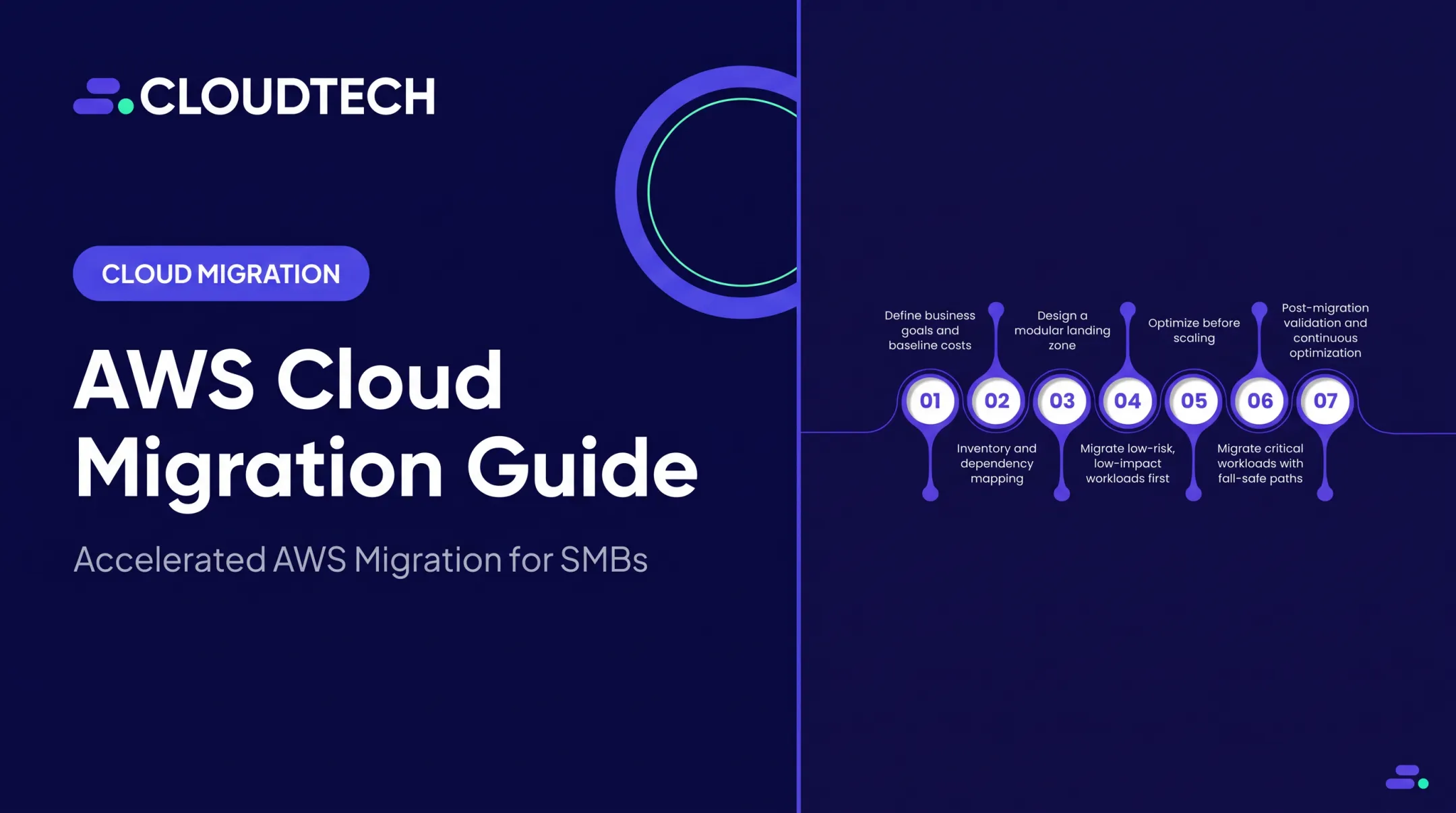
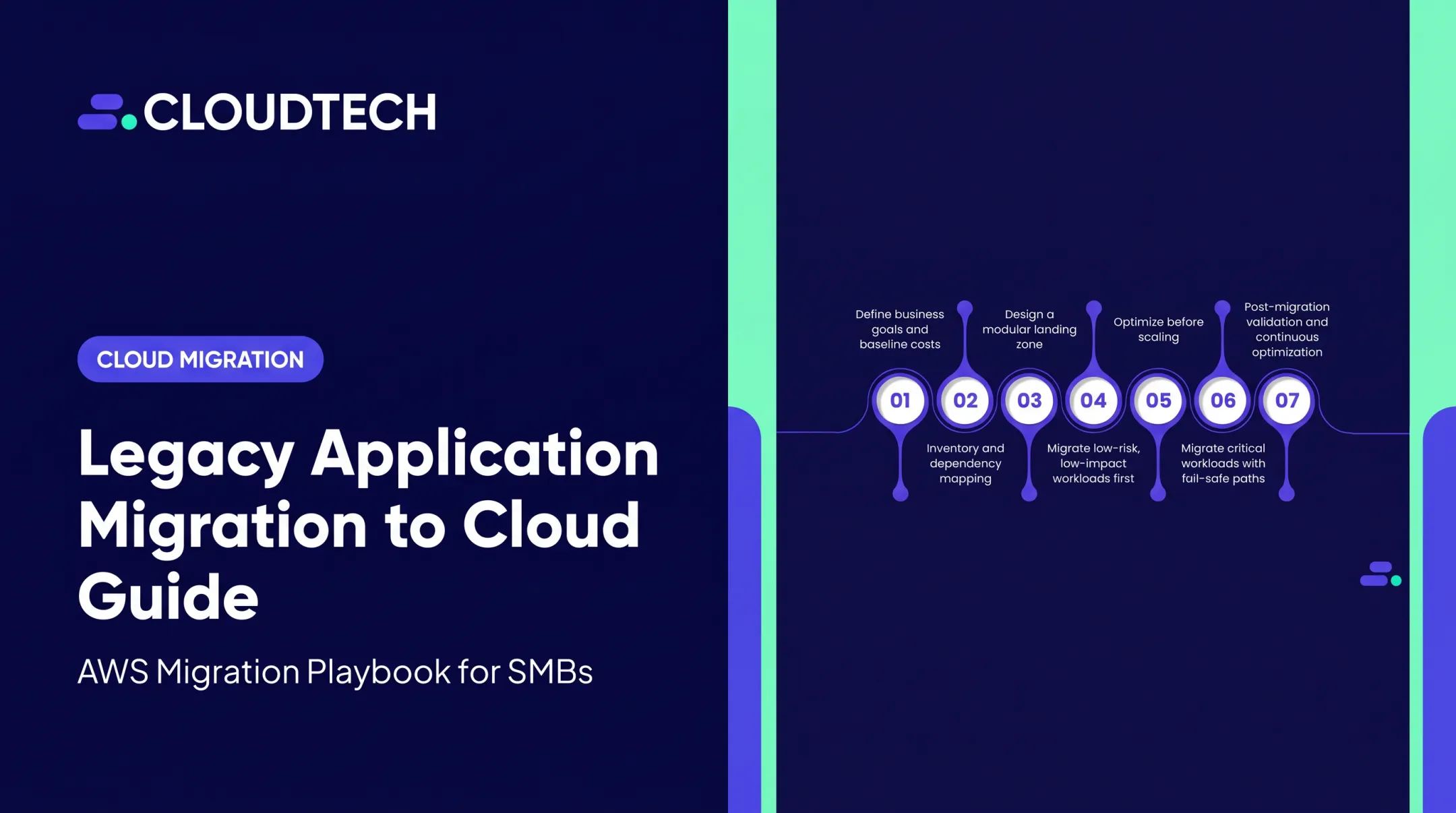
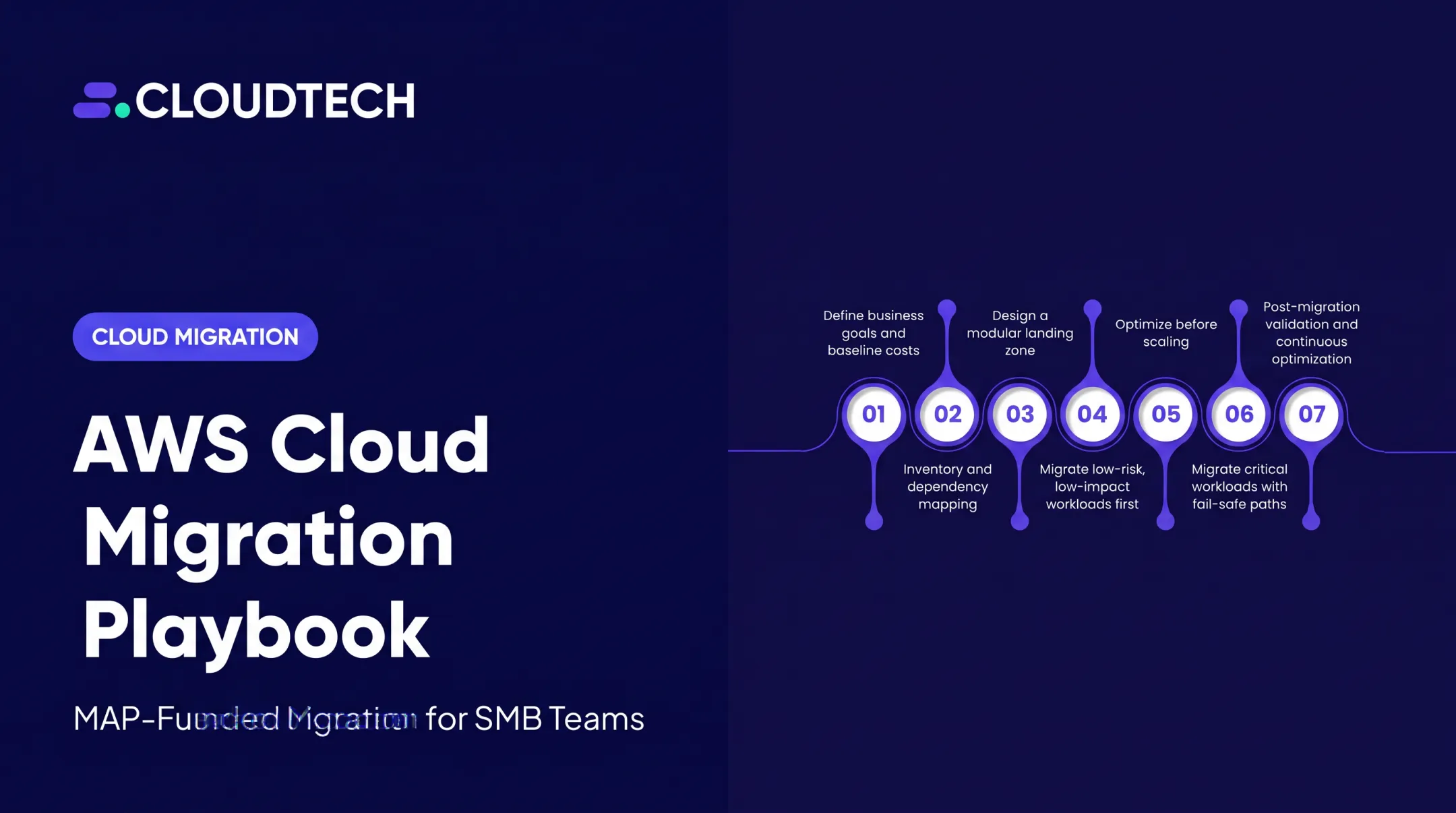
AWS's current 7 Rs framework defines seven migration strategies: Retire, Retain, Rehost, Relocate, Repurchase, Replatform, and Refactor. Rehost is lift and shift. It sits at the lowest-complexity end of the spectrum.
Here's how the three most common strategies compare:
| Strategy | Changes Required | Complexity | Speed |
|---|---|---|---|
| Rehost (Lift & Shift) | None | Low | Fastest |
| Replatform | Minor optimizations | Medium | Moderate |
| Refactor/Re-architect | Full redesign | High | Slowest |
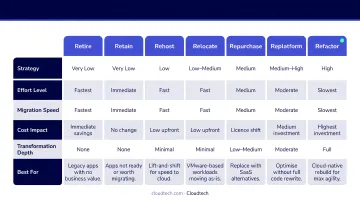
This positioning makes lift and shift the natural first move for organizations that prioritize speed or have limited cloud expertise. Once migrated, teams can evaluate which workloads are worth modernizing further.
Why Businesses Choose Lift and Shift for AWS Migration
Speed When Deadlines Are Real
Because no application changes are required, lift and shift allows organizations to migrate large workload portfolios quickly. This matters when timelines aren't flexible.
Common triggers include:
- Data center lease expirations with non-negotiable exit dates
- Hardware reaching end-of-life with costly refresh cycles as the alternative
- Mergers and acquisitions requiring infrastructure consolidation
- Competitive pressure to modernize before the business falls further behind
AWS research on M&A cites that 71% of U.S. companies identify digital assets as determining deal success — which explains why fast cloud migration has become a standard component of post-acquisition integration.
The Cost Reduction Case
On-premises environments are chronically inefficient. Average server utilization sits between 12% and 18%, and more than 30% of servers run at less than 10% utilization — meaning organizations are paying for capacity they're barely touching.
Rehosting to AWS changes the math significantly. GE Oil & Gas achieved roughly 30% cost savings by rehosting applications to AWS before implementing any cloud-specific optimizations. For SMBs without an enterprise IT budget, AWS Migration Evaluator — available at no charge — delivers the same financial clarity: it analyzes on-premises CPU and RAM utilization, flags over-provisioned instances, and compares bring-your-own-license vs. license-included cost scenarios.
Cloudtech uses AWS Migration Evaluator as a standard part of pre-migration planning, generating TCO comparisons and right-sizing recommendations that give SMB leadership teams a defensible financial case before committing to migration.
Business Agility After Migration
Once workloads are on AWS, organizations gain access to pay-as-you-go elasticity, instant provisioning, and global infrastructure — a direct contrast to the rigid capacity planning required on-premises.
AWS Cloud Economics Center data shows IT infrastructure staff become 47% more efficient after AWS migration, with application development teams 35% more productive. For SMBs especially, that shift frees up limited technical staff to work on product and revenue-generating initiatives instead of keeping the lights on.
Lift and Shift as a Strategic First Step
There's a practical reason major enterprises use lift and shift before deeper modernization: it separates the hard work of migration from the complexity of re-architecture. Once data, traffic, and application dependencies are in AWS, incremental optimization is far simpler to execute. Each subsequent improvement — containerization, serverless adoption, database modernization — becomes a discrete, lower-risk project rather than part of one massive change.
How Lift and Shift Migration Works on AWS
The process runs through three phases: discovery and assessment → migration execution → validation and optimization. AWS provides tooling at each stage; an experienced partner reduces risk and compresses timelines — from the 3–12 months typical of self-managed efforts down to 6–12 weeks.
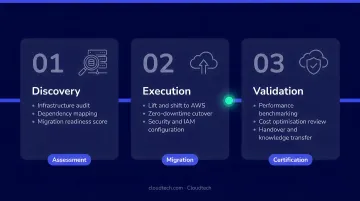
Phase 1: Discovery and Assessment
Three activities define this phase:
- Catalog all workloads and map interdependencies between applications and databases
- Categorize each workload by migration complexity and appropriate strategy
- Produce a dependency map that prevents surprises mid-migration
Cloudtech uses AWS Application Discovery Service, AWS Systems Manager Inventory, AWS Migration Evaluator, and custom diagnostic scripts to surface hidden dependencies and underutilized resources. The output is a prioritized inventory identifying what moves, what stays, and what gets retired.
Workload categorization follows the 7 Rs framework. Lift and shift candidates are typically:
- Legacy applications that are functional but expensive to run on-premises
- Systems that don't require code changes to operate in the cloud
- Dev/test environments, aging file servers, and ERP systems on outdated hardware
Retain or refactor candidates are workloads with latency constraints, hardware dependencies, or compliance requirements that make direct rehosting impractical or counterproductive.
Establishing migration readiness criteria at this stage — security requirements, network configuration needs, compliance obligations — prevents costly rework later.
Phase 2: Migration Execution
With workloads assessed and prioritized, execution begins. AWS Application Migration Service (MGN) handles rehosting automation through continuous block-level replication from source servers to AWS. Data stays synchronized throughout, so cutover windows stay short and downtime stays minimal.
Alongside MGN, teams configure the target AWS environment before any workloads move. Cloudtech's pre-migration environment setup includes:
- VPC networking with workload-specific isolation (dev/test/prod) using VPC and Transit Gateway
- Pre-configured IAM roles with permission boundaries and Service Control Policies
- Security groups, AWS Config Rules, and AWS WAF protections — critical for regulated industries
- Application Load Balancer health checks and auto-scaling group configuration
- Infrastructure-as-Code via AWS CloudFormation to make configurations reproducible and auditable
Building this foundation before migration starts prevents rework, reduces security exposure, and gives SMBs a stable, compliant environment ready to receive workloads from day one. Cloudtech-led SMB migrations typically complete in 6 to 12 weeks — compared to the 3 to 12 months that's common for self-managed migrations without specialist support.
Phase 3: Validation and Optimization
Post-migration testing validates application functionality, performance, and security posture in AWS before decommissioning on-premises servers. Standard validation activities include smoke testing, regression testing, and traffic cutover validation.
Amazon CloudWatch is configured during this phase to track performance metrics, trigger alerts, and maintain operational visibility. AWS Cost Explorer establishes spend baselines and flags early savings opportunities.
Quick wins available right after cutover:
- Right-size EC2 instances to match actual workload demand
- Enable AWS-native backup and disaster recovery
- Activate AWS Compute Optimizer recommendations
Common Challenges in Lift and Shift Migrations (and How to Address Them)
Database Cutover Complexity
Database migration is the highest-risk component of lift and shift. Zero data loss with minimal downtime requires careful planning and the right approach for each workload type.
Common strategies:
- Always On Availability Groups — extend an on-premises SQL Server availability group to AWS using asynchronous replication, then manually fail over after synchronization
- Stretch clustering — run a Microsoft stretch cluster with Site A on-premises and Site B in AWS for business-critical workloads
- DNS/Route 53 cutover — update DNS records to point to Elastic Load Balancer endpoints; lower DNS TTL to 60–900 seconds before migration to reduce propagation delays if rollback is needed
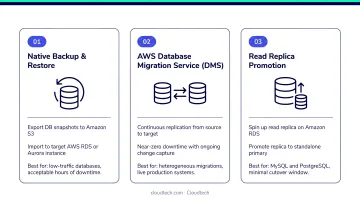
AWS Database Migration Service (DMS) handles database replication with ongoing change capture, and has been used to migrate more than 1.5 million databases with minimal downtime.
Security and Encryption Mismatches
Hybrid deployments — where on-premises services remain active alongside migrated AWS workloads — frequently surface TLS/encryption protocol mismatches. AWS service API endpoints now require a minimum of TLS 1.2, with TLS 1.0 and 1.1 fully deprecated as of February 2024.
Audit cipher support on both sides before cutover. Two AWS-native tools make this straightforward:
- ALB access logs — include
ssl_cipherandssl_protocolfields for HTTPS listeners - AWS CloudTrail
tlsDetails— identifies outdated TLS versions in API calls
Cloudtech's pre-cutover validation automates these checks, confirming encryption settings and security group configurations are enforced before any traffic is cut over.
Organizational and Compliance Process Overhead
Security reviews, architecture review board approvals, change advisory board sign-offs, and data governance assessments for PII/PHI can extend timelines significantly. McKinsey research found that approximately 75% of organizations fall behind their planned cloud migration schedule, with 38% experiencing delays of more than one quarter.
The fix is straightforward: map which compliance processes apply to each workload during the planning phase, not mid-execution. Teams that do this upfront avoid the last-minute review cycles that push timelines past the one-quarter mark.
Underestimating Post-Migration Optimization
Treating lift and shift as the finish line is the most common mistake teams make. Organizations that skip right-sizing, cost monitoring, and incremental modernization planning often watch their projected savings erode within the first year.
The migration is the starting point. Full ROI depends on a defined optimization roadmap covering right-sizing, Reserved Instance commitments, and a phased modernization plan for the workloads that matter most.
When Lift and Shift Is (and Isn't) the Right Choice
When Lift and Shift Fits
- Organizations facing hard migration deadlines — data center exits, hardware refresh cycles, M&A integration timelines
- Companies with large portfolios of stable legacy workloads that don't require new features or cloud-native capabilities
- Teams with limited cloud expertise who need to build skills before undertaking re-architecture — rehosting and gaining cloud experience first is a well-documented enterprise path
- Situations where speed, cost reduction, and risk mitigation are the primary objectives
When to Consider a Different Strategy
- Applications with heavy technical debt tied to on-premises-specific hardware or features that won't function in a virtualized environment
- Workloads where performance or scalability requirements specifically demand cloud-native architecture — containers, serverless, or managed services that rehosting can't provide
- Situations where software licensing costs on AWS would exceed on-premises costs — SQL Server in particular requires careful analysis of BYOL (Bring Your Own License) vs. License Included options before choosing a migration path
The Decision Framework
The real question isn't whether to lift and shift — it's what each individual workload actually needs.
Most organizations use a mix of strategies across their portfolio. A practical approach:
- Assess each workload individually using the 7 Rs framework to identify its migration fit
- Default to lift and shift for workloads that are functional, stable, and not hardware-dependent
- Flag refactor/replatform candidates where a specific business capability can't be met by the migrated architecture
- Retire or retain anything that shouldn't move to the cloud at all
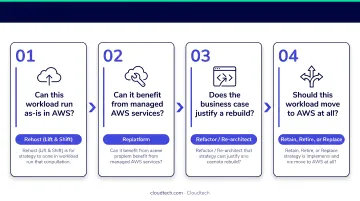
AWS Prescriptive Guidance explicitly notes that refactoring is not recommended for large migrations due to complexity. Lift and shift is typically the right starting point even for portfolios that will eventually require deeper modernization.
Conclusion
Lift and shift is a proven, high-speed path to AWS that delivers immediate benefits — cost reduction and operational resilience — without requiring application redesign. For SMBs and growing organizations, it's the right first step: get workloads into AWS, stabilize operations, then modernize incrementally from a position of strength.
Success depends on thorough upfront planning, the right AWS tooling, and a partner who understands both the technical and organizational sides of migration.
Klamath Health Partnership achieved a 77% reduction in infrastructure costs after migrating their on-premises systems to AWS with Cloudtech — moving sensitive EHR data to a HIPAA-compliant architecture while eliminating the risk of running critical systems on infrastructure located on an active fault line.
For organizations ready to start, Cloudtech's AWS-certified team — an AWS Advanced Tier Partner built primarily of former AWS professionals — delivers migrations in weeks, not months, with clear outcomes at every stage. Contact Cloudtech to begin with an assessment.
Frequently Asked Questions
What is lift and shift?
Lift and shift (also called rehosting) is a cloud migration strategy where applications and workloads move from on-premises infrastructure to the cloud without changes to the application's code or architecture. The workload runs identically on the new infrastructure.
What is an example of lift and shift?
A company running an on-premises web application on physical servers migrates it to Amazon EC2 instances on AWS. The application functions identically, but the business no longer needs to own or maintain the underlying hardware.
What are the 5 Rs of cloud migration?
Gartner originally described five strategies in 2011: Rehost, Replatform, Repurchase, Refactor, and Retire. AWS later expanded this to six and then seven Rs, adding Retain and Relocate. Lift and shift corresponds to the Rehost strategy.
How long does a lift and shift migration to AWS typically take?
Timelines depend on portfolio size and complexity. Small-to-midsize workloads often migrate in weeks — one team moved 300 servers to AWS in six weeks. Large enterprise migrations use a factory-like approach, moving applications in batches over several months.
What are the main risks of a lift and shift migration?
The top risks are database cutover downtime, TLS/encryption mismatches in hybrid environments, and carrying technical debt into the cloud without a plan to address it. Thorough discovery and dependency mapping before migration significantly reduces all three.
Is lift and shift the same as full cloud migration?
No. Lift and shift gets workloads onto AWS quickly, but a full cloud transformation often involves follow-on optimization, replatforming, or refactoring to take full advantage of cloud-native capabilities. Most SMBs treat rehosting as the first phase, then replatform or refactor once the team is comfortable operating in AWS.