Many teams treat cloud migration as a single decision: pick a provider, move the server, done. That's rarely how it works in practice. Migration without structure creates downtime, broken dependencies, and runaway costs.
Globally, the share of SMB workloads running in public cloud rose from 55% to 63% year over year, according to Flexera's 2026 State of the Cloud Report. More workloads are moving, but moving them well still requires a strategy. This guide covers the 7 Rs, the migration workflow, decision criteria, risks, and how to validate a move before you commit to it.
Key Takeaways
- Discovery comes before provider selection, not after
- Use the 7 Rs to match migration strategy to each application
- Plan security, compliance, performance baselines, and TCO before cutover
- Phased migrations with rollback plans reduce risk compared to untested, all-at-once moves
- Treat migration and modernization as separate decisions—not every app needs rebuilding
What Is Application Migration to the Cloud—and Why Is It Used?
Application migration means moving an application and its supporting components—databases, integrations, and configurations—from on-premises infrastructure, a private data center, or another cloud into a target cloud environment.
The goal isn't just relocation. Teams migrate to gain:
- Scalability without buying physical servers
- Managed services for databases, containers, analytics, and AI
- Stronger resilience and disaster recovery
- Distributed access for remote teams and users
- Reduced infrastructure overhead
Migration vs. Modernization
Migration and modernization are not the same job. Migration changes where an application runs. Modernization changes how it runs—its architecture, code, platform, or operating model. You can migrate without modernizing (a straight lift-and-shift), or modernize first and migrate second. Naming the work correctly keeps scope from expanding mid-project.
What Goes Wrong Without a Strategy
Unplanned migrations tend to surface the same problems:
- Unplanned downtime from missed dependencies
- Data integrity issues during cutover
- Uncontrolled cloud spend from oversized or idle resources
- Security gaps carried over from the old environment
- Migrating an application that should have been retired or retained instead
AWS's own guidance on application portfolio assessment notes that reliable wave planning depends on a complete application inventory and dependency map. Skip that step, and everything downstream gets harder.
How the Application Migration Strategy Works
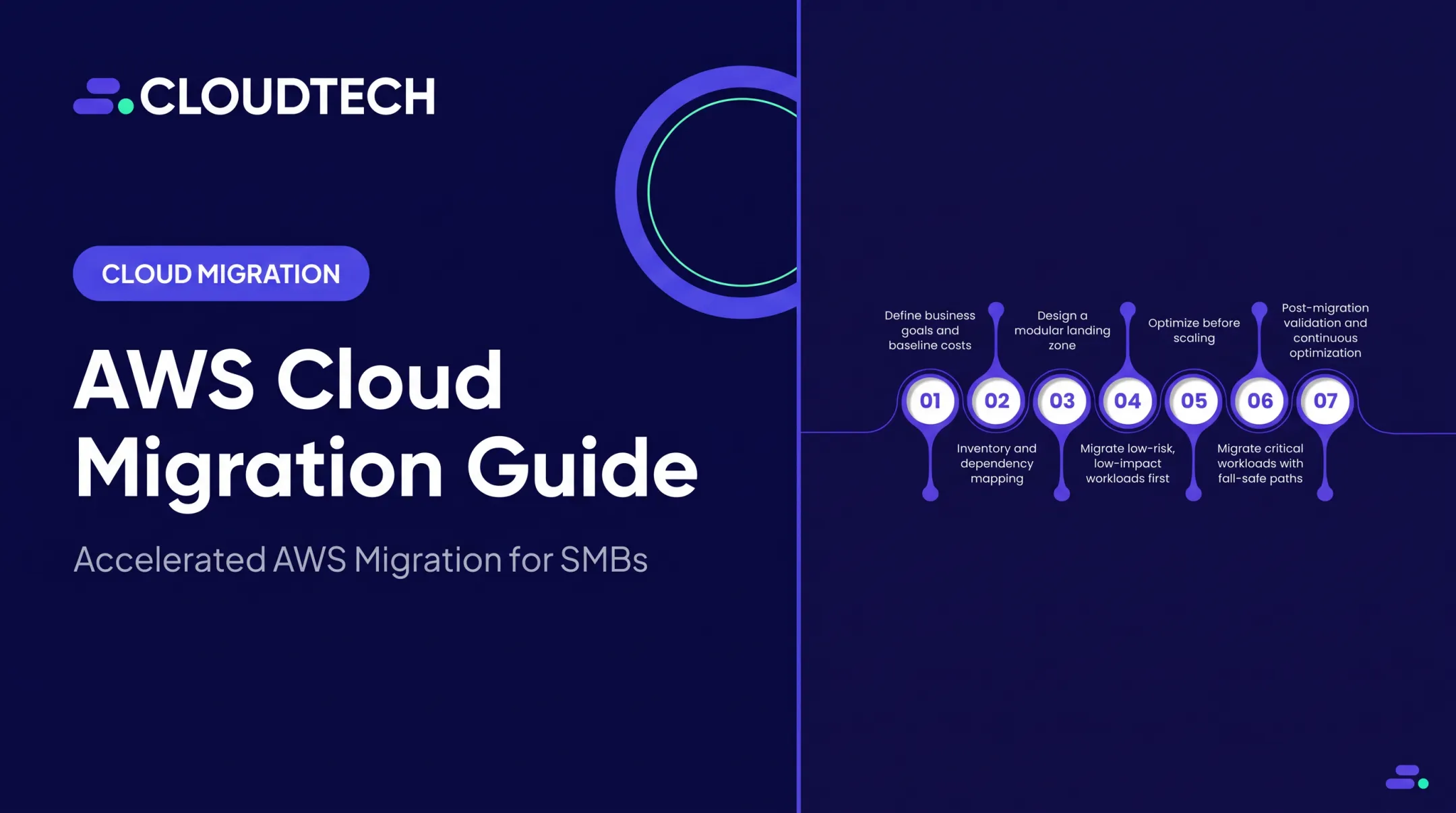
A migration strategy follows a logical sequence: assess the current state, define the target state, select an approach per application, prepare the landing environment, test, migrate in controlled waves, validate, then optimize.
- Discovery – Catalog code, runtimes, databases, integrations, users, data flows, infrastructure, licensing, owners, and dependencies. Tools like AWS Application Discovery Service capture CPU, memory, disk, and network data—and often surface forgotten links, such as an on-premises SQL Server still feeding a patient-scheduling app.
- Baseline goals – Document current response time, availability, throughput, error rates, and recovery objectives before you touch anything.
- Choose the target model – Public, private, hybrid, or multicloud. Map requirements to AWS services deliberately, not just because a service exists.
- Select a 7R strategy per workload – A single portfolio often combines rehosting for speed, replatforming for targeted gains, and refactoring for strategic modernization, while retaining or retiring unsuitable applications.
- Build the foundation – Stand up IAM, networking, encryption, logging, monitoring, backup, infrastructure-as-code, tagging, and cost controls before migration starts—not after.
- Test, migrate, validate – Run a pilot or phased migration. Validate application behavior and data integrity. Define rollback criteria in advance. Only cut over to production once acceptance criteria are actually met.
- Optimize – After cutover, tune performance, right-size resources, and tighten operations so cost and reliability match the goals you baselined.

Those per-workload choices map to AWS’s seven Rs: rehost, replatform, refactor (or re-architect), repurchase, relocate, retain, and retire, per AWS Prescriptive Guidance. Retain and retire don’t move an application; they decide whether it moves at all.
For SMB teams without a large platform group, an AWS consulting partner like Cloudtech often covers discovery, target-state architecture, migration planning, and phased execution end to end.
Where Application Migration Is Applied—and When It May Not Be Appropriate
Not every application belongs in the cloud, and not every application belongs there right now.
Common candidates include:
- Customer-facing SaaS platforms
- Internal business applications
- Development and test environments
- Analytics workloads and databases
- Legacy systems with a documented business case
Migration also tends to cluster around specific business moments:
- Data center lease ending
- Hardware or software hitting end-of-life
- Growth outpacing on-premises capacity
- Acquisition that requires system integration
- Compliance reassessment
When Retaining Makes Sense
Sometimes the right call is to leave an application where it is:
- Dependencies are unresolved or poorly understood
- Strict data-residency constraints apply
- The technology is unsupported by cloud-compatible tooling
- The application was recently modernized on-premises
- Business value doesn't justify the migration effort
When Retiring Is the Better Move
Portfolio rationalization means retiring redundant, unused, or duplicate applications before you write a migration plan. That step shrinks scope fast. If three internal tools do the same thing, migrating all three just moves the clutter.
Retire first, then migrate in waves. Most SMB portfolios move by business value, risk, readiness, and dependency order—not as a single cutover.
Key Factors, Risks, and Decision Criteria
Before migrating any application, weigh these factors:
Application and technical
- Architecture and operating system compatibility
- Database type and licensing terms
- Documentation quality
- Whether containerization is realistic
Business and operational
- Business criticality, user volume, and revenue impact
- Acceptable downtime
- Recovery time objective (RTO) and recovery point objective (RPO)
Data, security, and compliance:
| Regulation | Applies to | Key requirement |
|---|---|---|
| HIPAA | Healthcare data (ePHI) | Business associate agreement with cloud provider; documented risk analysis |
| GLBA Safeguards Rule | Financial institutions under FTC jurisdiction | Access controls, encryption, activity logging, vendor oversight |
| PCI DSS v4.0.1 | Cardholder data environments | 12 months of audit logs, strong authentication |
| SOC 2 | Service-organization assurance | Attestation framework, not a legal mandate |
Cost and capacity: Compare current total cost of ownership against migration labor, licensing, data transfer, cloud consumption, and ongoing optimization. AWS recommends its Pricing Calculator with documented assumptions—not rough estimates.
Risk controls that matter most:
- Dependency mapping before wave planning
- Pilot migrations in a staging environment that mirrors production
- Automated testing and clear rollback criteria
- Go/no-go checkpoints at each phase
Those controls only work when the business case is grounded in real outcomes. AWS's 2023 case study on Onit, a legal-workflow software provider, describes a multi-phased move from hybrid/multicloud to AWS that cut total cost of ownership by 30% and consolidated six cloud landscapes into one.

That figure includes platform changes alongside the migration, so treat it as a directional example—not a universal benchmark.
Cloudtech works these same criteria with clients through AWS Migration Evaluator and TCO analysis, tying each go/no-go call to measurable KPIs instead of a blanket "move everything" plan.
Common Issues and Misconceptions
A few assumptions cause more rework than anything else:
- "Every application should be rehosted fast or fully refactored." The right approach depends on business goals, application condition, dependencies, risk tolerance, and budget, not a single default.
- "Moving to AWS automatically makes us secure and compliant." It doesn't. Security, compliance, and cost-efficiency require deliberate architecture and operating controls, not just a change of address.
- "A successful cutover equals a successful migration." It doesn't. The application also needs to preserve data integrity, meet performance targets, and deliver the business outcome you planned for.
Common mistakes teams make:
- Skipping discovery and finding dependencies mid-migration
- Overlooking licensing and data-transfer costs until the bill arrives
- Never baselining performance, so there's nothing to compare against
- Treating testing as optional
- Leaving idle resources (unused EC2 instances, detached EBS volumes, idle NAT gateways) running after cutover
Those gaps also explain why cost and duration can't be estimated from application count alone. Complexity, data volume, dependencies, compliance scope, and team capacity all factor in.
Cloudtech's work with Klamath Health Partnership shows the point. The organization needed HIPAA-compliant disaster recovery after its on-premises data center was found on an active fault line. The engagement moved data and modernized storage into an Amazon S3-based data lake, with a reported 77% reduction in infrastructure costs year over year.

Conclusion
An effective application migration strategy connects business objectives to application discovery, 7R selection, secure cloud design, phased execution, and ongoing optimization. That strategy should balance speed, risk, cost, performance, security, and long-term maintainability—not chase the shortest timeline alone.
Start with a portfolio assessment and a documented migration roadmap before moving a single workload. If internal AWS expertise is limited, Cloudtech's AWS-certified team can support planning and execution for SMBs.
Frequently Asked Questions
What are cloud migration services?
Professional support for assessing, planning, designing, executing, securing, testing, and optimizing workloads moved to the cloud. Services range from advisory-only engagements to full implementation and ongoing management.
What are the steps involved in migrating applications to the cloud?
Typical steps include discovery and assessment, goal-setting, target architecture design, strategy selection, preparation, testing, phased migration, validation, cutover, then post-migration monitoring and optimization.
What are the 7 R's of cloud migration?
Rehost, replatform, refactor, repurchase, relocate, retain, and retire. Each represents a different treatment for a given application or workload, chosen based on business goals and technical condition.
How much does it cost to migrate applications to the cloud?
Cost depends on application complexity, data volume, licensing, downtime tolerance, testing scope, and labor. A workload-specific TCO analysis using tools like AWS Pricing Calculator gives a far more accurate picture than a universal estimate.
How long does a cloud migration take?
Timelines vary based on portfolio size, dependencies, compliance requirements, and team capacity. AWS recommends estimating each migration wave individually after discovery and pilot testing rather than assuming a fixed timeline.
What is the fastest way to migrate applications to the cloud?
Rehosting, or lift-and-shift, is typically the fastest approach since it moves applications without code changes. It can, however, carry forward existing technical debt and may not deliver the best long-term performance or cost outcome.