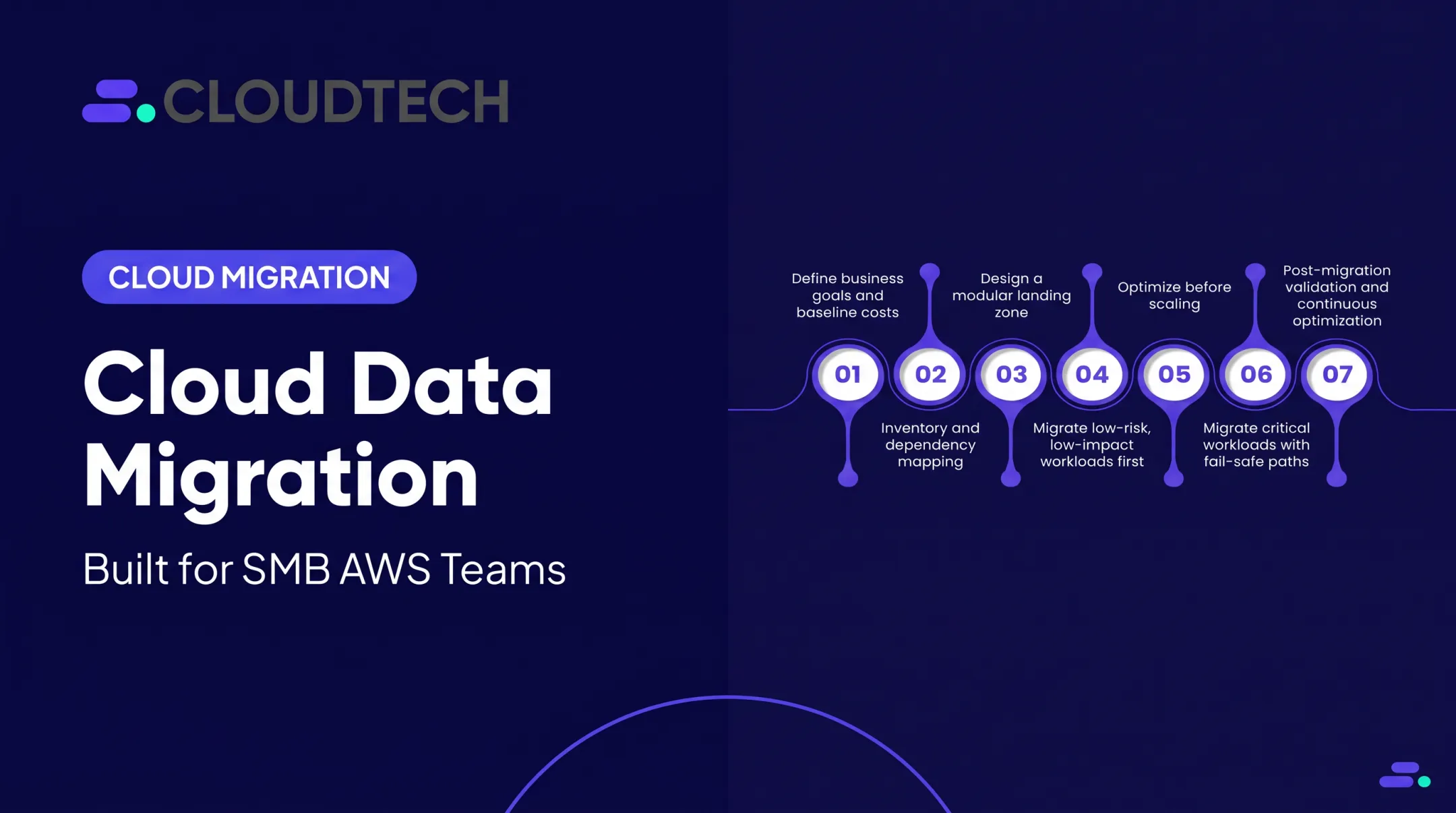
A data migration plan is the documented roadmap that prevents these disasters. It's the blueprint for moving data from a source to a target environment while preserving its security, integrity, and usability. This guide breaks down how to build a plan that connects your business goals to a controlled, measurable, and successful migration.
Key Takeaways
- A data migration plan connects business goals to a defined scope, source/target systems, timelines, and success criteria.
- The right strategy—be it big bang, phased, or lift-and-shift—depends on your data complexity, downtime tolerance, and resources.
- Success requires more than just copying data; it demands assessment, cleansing, mapping, testing, and business validation.
- Post-migration monitoring and a controlled decommissioning of the old system are crucial for realizing long-term benefits.
What Is a Data Migration Plan?
Data migration is the process of moving data between storage systems, databases, applications, or cloud environments. The data migration plan is the operational document that governs exactly how that move will happen. According to AWS, a data migration plan is the roadmap to a successful project.
The goal is clear: get the right data to the right place, in a usable and secure format, with minimal disruption. You also need proof that the data is complete and accurate once it arrives.
This plan is more granular than a high-level cloud strategy. While a strategy decides the destination (such as "move to AWS"), the plan specifies the datasets, dependencies, security controls, people, tools, and acceptance checks required to get there safely.
A comprehensive plan should include:
- Business objectives that define the outcome (such as cost reduction, performance, or new capabilities)
- Scope and inventory of what moves, archives, or stays behind
- Data owners accountable for each dataset
- Source-to-target mapping between old and new system fields
- Security and compliance controls for data in transit and at rest
- Schedule and timeline for each phase through final cutover
- Testing and validation criteria that prove success
- Rollback procedures to restore the source system if migration fails
- Budget estimates for tools, labor, and infrastructure

How a Data Migration Plan Works: The 4-Step Process
A data migration plan follows a structured, end-to-end flow. It starts with discovering what you have and ends with validating that everything works as expected in the new environment. The process is governed by controls like permissions, encryption, backups, and predefined rollback criteria to ensure nothing gets lost or broken.
Success is measured by business outcomes: the application still functions, performance stays acceptable, and the users who rely on the data sign off on the results.
Step 1: Inventory the Source Environment
You can't migrate what you don't understand. The first step is a thorough discovery and assessment of the source environment. This involves identifying not just the data itself but its entire context.
Your inventory should document:
- Databases, file stores, and applications
- Data owners and key stakeholders
- Data volumes, formats, and growth rates
- Dependencies, including APIs, integrations, and batch jobs
- Sensitive data fields (such as PII and PHI) and their retention requirements
- Data that can be archived or excluded from the migration
Tools like AWS Application Discovery Service can help automate the mapping of dependencies and usage patterns to ensure no critical connections are missed.
Step 2: Define the Target Architecture and Migration Design
With a clear picture of the source, you can design the destination. This step involves documenting the target services (such as Amazon S3 or Amazon RDS), schemas, and network paths. You'll also define the migration methodology.
Key design decisions include:
- Extraction Method: How will you get data out of the source system?
- Transformation Rules: Does data need to be cleaned, reformatted, or enriched before it's loaded?
- Loading Sequence: In what order must data be loaded to preserve relationships?
- Access Model: Who will have permission to access the data in the new environment?
- Monitoring & Recovery: How will you track progress and recover from failures?
Step 3: Build and Test the Migration Solution
Here, you build the pipeline that will move the data. This could involve configuring managed services like AWS Database Migration Service (DMS), developing custom ETL (Extract, Transform, Load) scripts, or setting up connectors.
Testing is non-negotiable. Start with small data samples to verify your logic, then move to larger, representative volumes. Your tests should cover:
- Integration Points: Do downstream applications still receive data correctly?
- Failure Handling: What happens if the network drops or a script fails?
- Performance: Can the pipeline handle the required data volume within the planned migration window?
- Rollback Procedures: Practice executing the rollback plan to ensure it works.
Step 4: Execute and Validate the Migration
This is the cutover. After communicating the planned outage window to all stakeholders, you execute the migration according to the approved sequence. During this phase, you might need to freeze changes to the source system or use a tool that synchronizes them in real-time.
Once the data is loaded, validation begins. This includes:
- Technical Validation: Comparing record counts and running checksums to ensure completeness.
- Business Validation: Asking data owners and end-users to test the new system and confirm the data is accurate and usable in their daily workflows.
Only after formal business sign-off should you monitor the new environment. Keep the old system online until the new one is stable and has met every acceptance criterion.

For SMBs and startups without a dedicated migration team, cutover is often the hardest phase. Cloudtech's AWS-certified experts—many of them former AWS professionals—can design, automate, test, and run these workflows so the transition stays on schedule and secure.
Choosing a Data Migration Strategy
The right data migration strategy depends entirely on your business constraints—not a preference for a specific tool. Key factors include your tolerance for downtime, data sensitivity, system complexity, and available budget.
| Strategy | Downtime | Risk | Cost | Best fit |
|---|---|---|---|---|
| Big bang | Short planned window | High | Lower | Simple systems, strong rollback plan |
| Phased / trickle | Minimal per wave | Lower | Moderate | Complex estates, multi-team orgs |
| Parallel | Near-zero | Lowest | Highest | Critical workloads, zero-error cutover |
| Lift-and-shift | Varies | Lower short-term | Lower upfront | Stable apps needing a fast move |
| Replatform | Varies | Moderate | Moderate | Apps that benefit from managed services |
Big Bang Migration
In a big bang migration, all data is moved in a single, coordinated event over a planned window (like a weekend).
- Short timeline with no need to run two systems in parallel
- Concentrates risk into one event; rollback is often difficult if something fails
- Generally a poor fit for SMBs without a proven fallback plan
Phased or Trickle Migration
This approach moves data in controlled, manageable waves. You might migrate by business unit, application, or geographic region. The legacy system remains operational while parts are moved incrementally.
- Lower risk because each phase is smaller and easier to contain
- Easier to test and validate in stages before expanding scope
- Longer overall timeline; may need temporary interfaces between old and new systems
Parallel Migration
In a parallel migration, the new system runs in tandem with the legacy system. Live data is synchronized to both environments, allowing you to validate the new system with real-world activity without impacting users.
- Safest option for critical workloads that cannot tolerate downtime or data gaps
- Supports side-by-side comparison before final cutover
- Most expensive approach—infrastructure and ops costs effectively double during the run
Lift-and-Shift, Replatforming, and Hybrid Approaches
These strategies focus on what you do with the data and applications as you move them.
- Lift-and-shift (rehost): Move an application or database with minimal changes. Fast and simple, but you skip cloud-native gains like auto-scaling.
- Replatform: Apply targeted optimizations during the move—for example, migrating a database to a managed service like Amazon RDS—to balance speed and modernization.
- Refactor / re-architect: Redesign the application as cloud-native, often with serverless components. Highest long-term payoff; highest effort.
Match the approach to the workload, not a one-size playbook. A stable internal tool is often a clean lift-and-shift; a core customer-facing platform is usually worth replatforming when performance, resilience, or managed services matter more than raw speed. Start from your downtime, risk, and budget limits, then pick the path that keeps those constraints intact through cutover.

Key Factors, Risks, and Best Practices
A successful migration plan anticipates challenges and builds in controls to mitigate them. Focus on these key areas.
- Data Quality and Structure: Profile your data early. Look for duplicates, missing values, orphaned records, and schema differences. Don't migrate bad data; use the migration as an opportunity to cleanse it.
- Security and Compliance: Classify sensitive data and apply least-privilege access. Encrypt in transit (TLS 1.2+) and at rest (AWS KMS). For regulated industries, cover requirements such as the HIPAA Security Rule.
- System and Network Dependencies: Map all dependencies, including APIs, downstream applications, and identity systems. Account for network bandwidth limitations and plan for potential throttling.
- Scale and Operating Conditions: Plan for your peak data volume, not just the average. Test with realistic workloads to ensure your migration pipeline can keep up without causing performance degradation.
- Validation and Observability: Validate with record counts, checksums, referential integrity checks, and business-owner sign-off. Add logging and monitoring from day one so issues surface quickly.
- Continuity and Recovery: Create protected backups before you start. Define your Recovery Point Objective (RPO) and Recovery Time Objective (RTO), and rehearse the rollback plan so the team can execute it under pressure.
- Governance and Documentation: Assign accountable owners for each dataset and system. Version-control your migration scripts and mappings. Document all decisions, exceptions, and changes for future audits and reference.
- Post-Migration Operations: Monitor error rates, latency, and costs after cutover. Train support users, and decommission legacy systems only after acceptance criteria are met and the new system is stable.
Common Pitfalls and Alternatives to Migration
Migration is not just copying files. Moving to the cloud does not automatically fix bad data or remove the need for strong governance.
Frequent failure modes include:
- Incomplete discovery of data sources and dependencies
- Poor data mapping between source and target systems
- Inadequate data cleansing that copies and scales errors into the new environment
- Insufficient testing for performance and failure scenarios
- Decommissioning the source system before the new one is fully validated
Sometimes a full migration is not the right answer. If business objectives are unclear, data ownership is unresolved, or you lack a tested rollback path, delay the project.
Consider these alternatives:
- Archive old, inactive data to low-cost storage instead of moving it into an active system
- Use data virtualization for a unified view across systems without physically moving data
- Replicate a synchronized copy for reporting or disaster recovery while leaving the source active
- Retain a stable legacy system when it still delivers business value at lower cost than migration
Approve a migration only when expected business, operational, or security benefits clearly justify the cost, risk, and disruption.

Your Roadmap to a Successful Migration
A successful data migration links clear business goals to a controlled technical process. Treat it as a repeatable cycle:
- Assess and clean source data
- Map fields and design the target
- Test, execute, and validate
- Monitor cutover, then retire the old system
Your strategy should match downtime tolerance, data sensitivity, and how much change your team can absorb.
For SMBs and startups, bring business owners, security, and application specialists in from day one so the plan stays tied to real needs.
If your team lacks time or AWS migration skills, an outside partner can supply the roadmap and hands-on delivery. Cloudtech’s human-first consulting—led by AWS-certified architects and former AWS professionals—helps you build a secure, measurable plan sized to your business.
Frequently Asked Questions
What should be in a data migration plan?
A data migration plan should cover objectives, scope, source and target systems, data inventory, mappings, and owners. It also needs a timeline, tools, security controls, testing and validation, rollback procedures, and post-migration monitoring.
How do you do data migration?
You assess and cleanse source data, then extract, transform, and load it into the target system. Next come testing, a planned cutover, business-user validation, and decommissioning the old system.
What are the best practices for database migration?
Back up fully, analyze schema and dependencies, fix data quality issues, use least-privilege access, and encrypt data in transit and at rest. Run staged tests—including integrity and performance checks—and keep a tested rollback plan ready.
What are the main types of data migration?
Main types include storage, database, application, business process, data center, and cloud migration. Each moves a different layer—from raw files and schemas to full applications or entire environments.
What are the types of cloud migration?
The "7 Rs" are rehosting (lift-and-shift), replatforming, repurchasing, refactoring/re-architecting, relocating, retiring, and retaining. Choose based on application architecture and business goals.
What is ETL in data migration?
ETL stands for Extract, Transform, and Load. Data is pulled from a source, reshaped to fit the target (such as reformatting or cleansing), then loaded into the destination system.