Cloud migration involves moving applications, data, and infrastructure from on-premises data centers to a cloud platform like AWS, or from one cloud to another. The challenges vary based on your workloads, industry, and organizational readiness. This article covers the most common migration risks, practical steps to control them, the 7 R’s framework for making smart decisions, and a readiness checklist for US-based businesses.
Key Takeaways
- Successful migrations depend on thorough discovery, dependency mapping, workload prioritization, and a documented rollback plan.
- Moving to the cloud does not automatically save money; you must model, monitor, and govern spending before and after the move.
- Choose a migration strategy for each workload individually instead of applying a single “lift and shift” approach to everything.
- Your people, processes, and training are just as critical to success as the cloud architecture itself.
The Most Common Cloud Migration Challenges and Risks
Migration risks often fall into four categories: technical, financial, security, and organizational. A problem in one area can easily cascade into others. For example, incomplete dependency mapping—a technical issue—can lead to unexpected downtime and costs.
Data Security, Privacy, and Compliance
Your security posture doesn't just transfer to the cloud; it has to be rebuilt for it. Under the AWS shared responsibility model, AWS secures the underlying infrastructure, but you remain responsible for your data, access permissions, and application configurations.
Common security risks include:
- Misconfigured access controls that expose sensitive data
- Failure to encrypt data both in transit and at rest
- Inadequate logging and monitoring, with little visibility into threats
- Overlooking compliance obligations for standards like HIPAA or PCI-DSS in the new environment
Data Integrity and Transfer Risks
Moving large volumes of data is complex and carries real risk without the right controls.
Common transfer failures include:
- Data corruption or incomplete transfers
- Inconsistent datasets between source and target
- Limited bandwidth that stretches cutover windows and extends downtime
A transfer is not finished until verified backups and reconciliation checks confirm the data is whole and usable.
Application and Infrastructure Compatibility
Not every application is ready for the cloud. Legacy systems, unsupported operating systems, and hard-coded configurations can break during a move. A 2024 report from Flexera found that 54% of organizations see understanding application dependencies as a top migration challenge. Latency issues can also arise if interdependent applications are split between on-premises and the cloud.
Cost and Resource Risks
Many migrations run over budget. A McKinsey study found that migrations often run 14% over budget, with 38% of projects delayed. Hidden costs can include:
- Migration tools and consulting fees
- Data egress charges from your current provider
- Temporary duplicate environments during the transition
- Poorly governed cloud spend on underused or oversized resources after cutover
Operational and Organizational Risks
A 2024 HashiCorp survey revealed that 64% of companies lack the internal staff expertise their cloud strategy needs. That skills gap shows up as unclear ownership, weak incident response, and thin monitoring once the migration is marked “done.”

Resistance to change and thin training can still sink the project. Migration changes how your team operates day to day—not only where the workloads run.
How to Reduce Cloud Migration Risk
You reduce migration risk by front-loading discovery, phasing workloads, locking down security, and testing before cutover. Treat the move as a staged program, not a single switch-flip.
1. Start with Discovery and Assessment
You can't migrate what you don't understand. Inventory the full environment first so nothing critical is missed:
- Applications and data — what they are, who owns them, and how critical they are
- Infrastructure — servers, operating systems, and configurations
- Dependencies — integrations and data flows between systems
- Performance baselines — CPU, memory, and network usage
- Compliance needs — regulatory and security requirements such as HIPAA and SOC 2
2. Prioritize Workloads into Migration Waves
With a clear inventory, skip a "big bang" cutover and group workloads into manageable waves. Phasing contains fallout if something fails and lets the team carry lessons into later waves.
Start with lower-risk work — development/test environments or internal apps — to prove the process before you touch customer-facing systems.
3. Prepare Your Security and Data Protection Controls
Before any data moves, define the target security posture in AWS and build controls in from day one:
- Access control — least-privilege AWS IAM policies plus mandatory MFA
- Network security — segmentation, security groups, and AWS WAF where needed
- Encryption — data at rest and in transit with AWS Key Management Service (KMS)
- Data protection — independent backups, tested restores, and clear completeness checks
- Rollback plan — documented failback steps you can execute under pressure
4. Test Everything Before Cutover
Security controls only hold if you prove them. Run a test plan that confirms the migrated app meets business, operational, and security requirements:
- Functional and integration testing — does the application behave as expected end to end?
- Performance testing — does it meet or beat the on-premises baseline?
- Security testing — are IAM, network, and encryption controls working as designed?
- Failback testing — can you execute the rollback plan successfully?
Use those results for a formal go/no-go decision before cutover.
5. Implement Cost Governance Practices
After technical risk is under control, lock down spend so the migration does not create bill shock:
- Create a budget that models one-time migration cost and ongoing AWS run rate
- Tag every resource with owner, project, and cost center
- Set AWS Budgets alerts when spend tracks above forecast
- Review utilization often and rightsize to actual demand
For many SMBs, the hardest part is running this playbook without deep in-house AWS expertise. Cloudtech’s AWS-Certified Solutions Architects support teams through assessment, planning, and implementation so you land on a secure, cost-efficient AWS foundation.
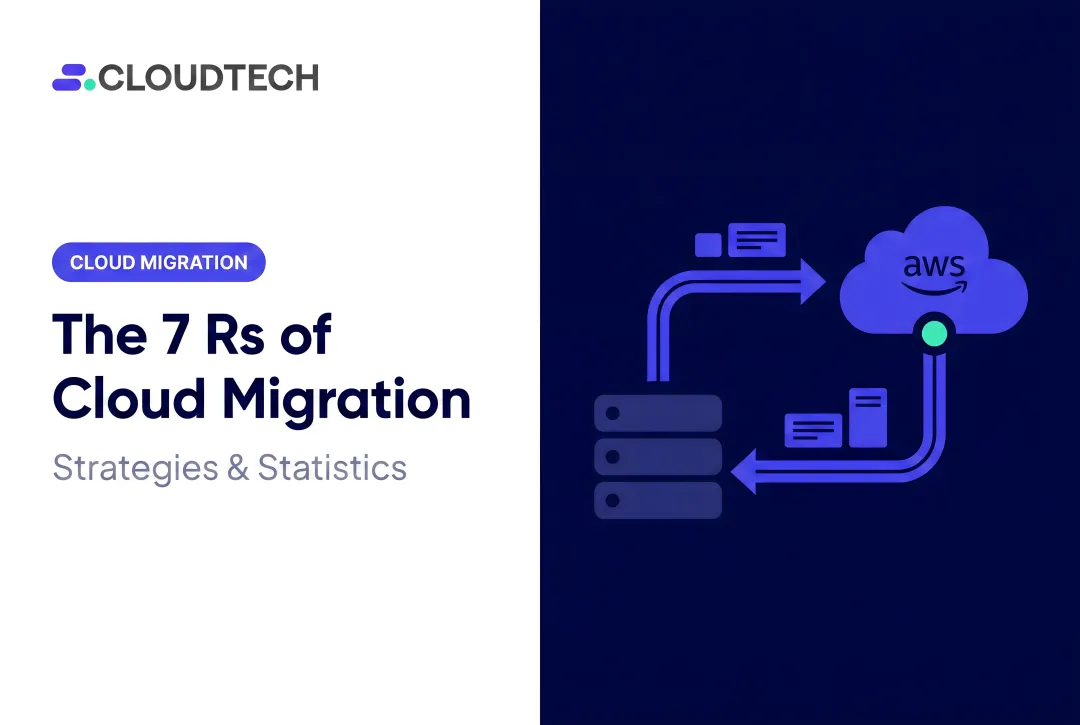
The 7 R’s of Cloud Migration
Not all applications require the same migration strategy. The "7 R's" provide a framework for deciding the best path for each workload based on its business value, technical complexity, and long-term goals.

- Rehost (Lift and Shift): Move an app to the cloud with minimal changes. Fast path for data center exits, but it can carry forward inefficiencies and technical debt.
- Replatform (Lift, Tinker, and Shift): Add limited cloud optimizations without changing core architecture—for example, moving an on-premises Oracle database to Amazon RDS to cut licensing and ops overhead.
- Refactor/Re-architect: Redesign the app as cloud-native. Highest effort, highest payoff in scale, performance, and cost; a patient intake system might move to AWS Lambda and DynamoDB for automatic scaling.
- Repurchase: Replace the app with another product, usually SaaS—such as swapping a self-managed CRM for Salesforce.
- Retire: Decommission apps you no longer need. Discovery often finds redundant software you can cut to reduce cost and complexity immediately.
- Retain: Leave the app where it is when regulations, latency needs, or readiness make a move the wrong call.
- Relocate: Move infrastructure to the cloud without refactoring apps—common for large VMware estates going to VMware Cloud on AWS.
Match each workload to an R by weighing business goals, migration effort, and total cost of ownership—not by applying one pattern fleet-wide.
Cloud Migration Readiness Checklist
A successful migration is built on a foundation of clear decisions and documented plans. Use this checklist to ensure your team is ready.
Pre-Migration Planning
- Define Business Objectives: What are you trying to achieve (e.g., cost reduction, improved agility, AI readiness)?
- Complete Workload Inventory: Have you documented all applications, servers, and data stores?
- Map All Dependencies: Are all integrations and data flows understood and documented?
- Classify Data: Have you identified sensitive or regulated data (e.g., ePHI, PII) and its compliance requirements?
- Design Target Architecture: Have you designed the AWS landing zone and defined the migration strategy (7 R's) for each workload?
- Establish Budget & Success Criteria: Do you have a clear budget and measurable KPIs to define success?
- Assign Owners: Does every application and process have a designated owner?
Execution Safeguards
- Tested Backups: Is there a recent, verified backup of all data?
- Documented Rollback Plan: Is there a step-by-step procedure to fail back to the source environment if needed?
- Identity and Network Readiness: Are IAM roles and network configurations in place and tested?
- Monitoring and Alerting: Are monitoring tools configured for the target environment?
- Final Go/No-Go Approval: Has a designated decision-maker formally approved the cutover?
Post-Cutover Validation
- Validate Data and Integrations: Confirm that all data is intact and applications are communicating correctly.
- Compare Performance: Measure performance against the pre-migration baseline.
- Confirm Security Controls: Verify that all firewalls, access policies, and encryption are active.
- Review Costs: Check initial spending against your budget in AWS Cost Explorer.
- Train Users: Ensure teams know how to operate in the new environment.
- Update Documentation: Update all architectural diagrams and operational runbooks.

If your team needs help identifying dependencies, choosing a migration approach, or building a risk-managed roadmap, Cloudtech offers a free AWS migration readiness assessment to surface gaps before cutover.
Frequently Asked Questions
What are the 7 R's of cloud migration?
The 7 R's are a framework for choosing a migration strategy for each application: Rehost, Replatform, Refactor, Repurchase, Retire, Retain, and Relocate. This allows organizations to select the most appropriate path based on cost, effort, and business goals.
What are the challenges of cloud migration?
Common challenges include managing security and compliance, ensuring data integrity during transfer, and dealing with application compatibility issues. Other major hurdles are controlling costs, bridging internal skills gaps, and minimizing downtime during the cutover.
How can businesses reduce cloud migration risks?
Risk reduction starts with a thorough discovery and dependency mapping phase. Adopting a phased migration in waves, implementing strong security controls, performing extensive testing, and having a documented rollback plan are all critical steps.
Is cloud migration always cheaper than staying on-premises?
Not automatically. Savings depend on workload characteristics, architecture choices, utilization, and ongoing cost governance. Compare total cost of ownership (TCO) for both scenarios, not just raw infrastructure prices.
How long does a cloud migration take?
Timelines vary widely depending on the number and complexity of workloads, data volume, dependencies, and the chosen migration strategy. A simple application might move in weeks, while a complex portfolio could take many months.