But here’s the reality: cloud migration isn't automatically cheaper or better for every workload. The results depend entirely on your current IT environment, migration strategy, and ongoing cost management. A poorly planned move can lead to budget overruns and operational headaches, which is why a solid business case is non-negotiable.
This article provides a practical guide for building a cloud migration business case that gets executive buy-in. We'll cover what data to gather, how to model costs and benefits, and how to present a recommendation your stakeholders can confidently evaluate.
Key Takeaways
- A strong business case compares your current environment with realistic future-state scenarios, not just against cloud list prices.
- Your financial model must include one-time migration costs, recurring cloud fees, and avoided on-premises expenses.
- Build stakeholder confidence by using baseline data, clearly stated assumptions, and measurable KPIs.
- Address risks like security, compliance, staffing, and potential business disruption before asking for approval.
- A phased AWS assessment and migration roadmap helps you move from a high-level idea to a defensible investment decision.
How to Build a Cloud Migration Business Case
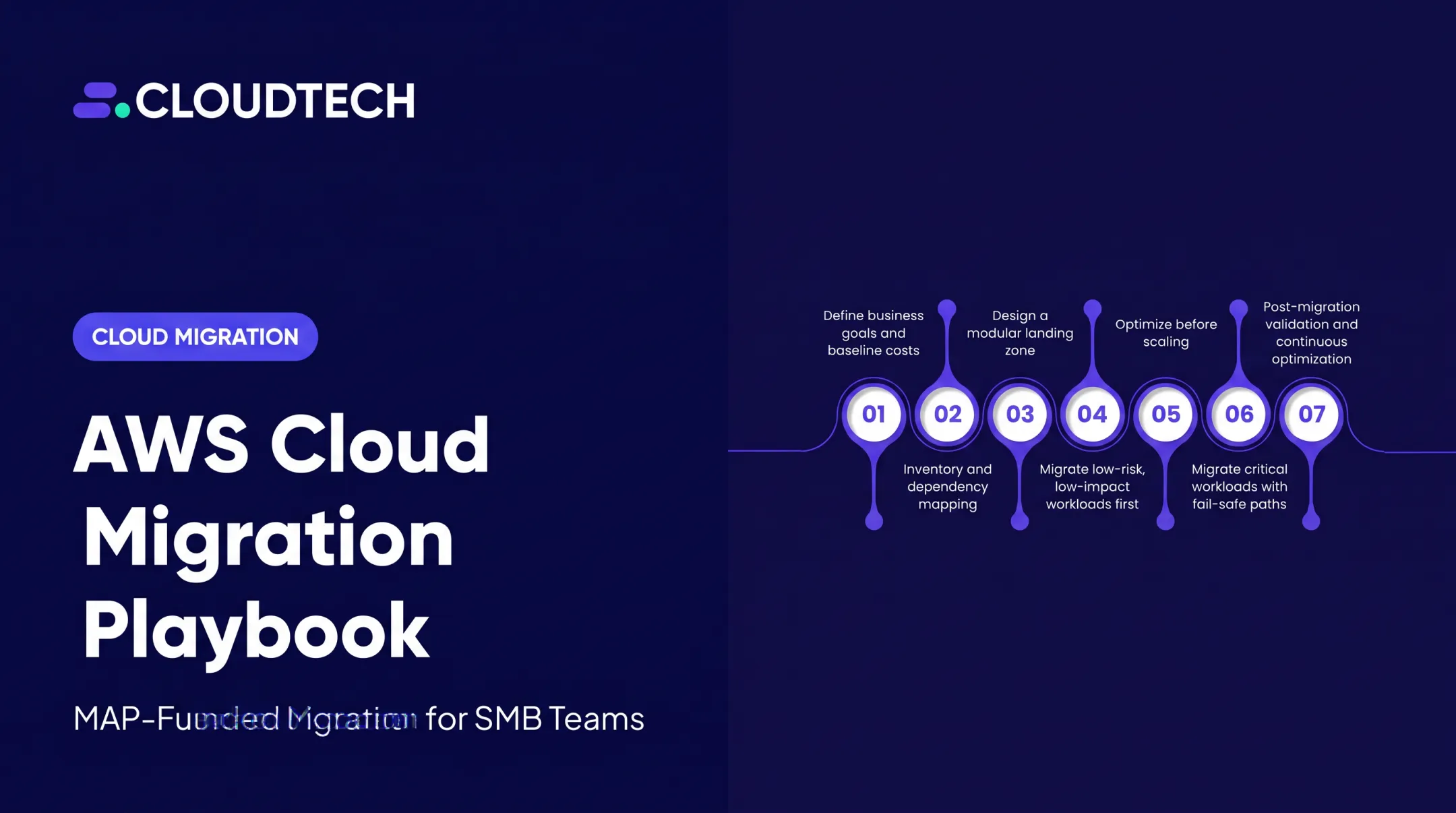
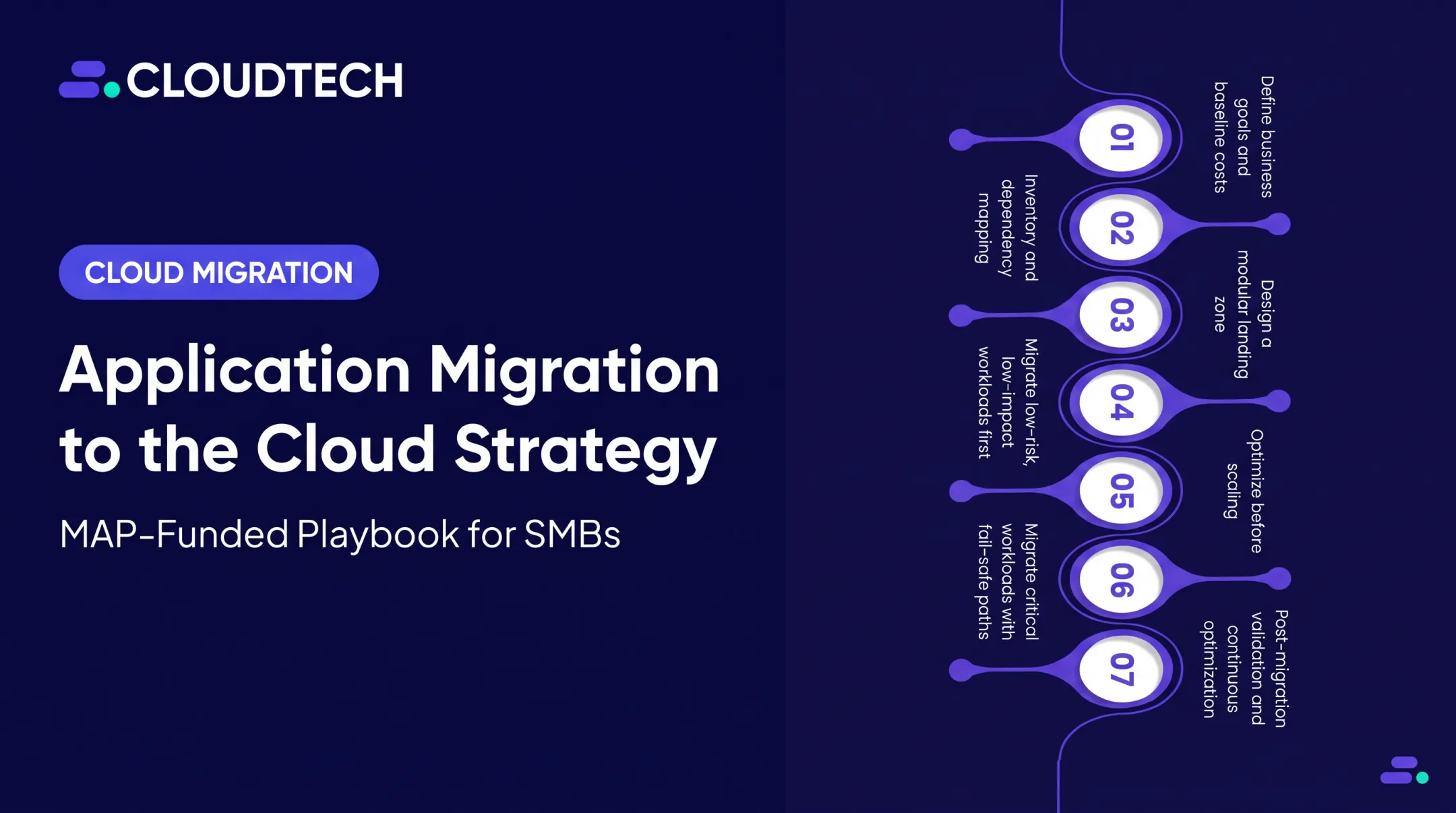
A strong cloud migration business case follows five steps. Use them to build a data-driven proposal that ties technology choices to clear business outcomes.
Step 1: Define the Business Problem and Decision Required
First, identify the core business driver. Are you facing aging infrastructure, an upcoming data center lease renewal, or scalability limits that are holding back growth? Common triggers include:
- Hardware reaching end-of-life
- Disaster recovery gaps and frequent outages
- Security vulnerabilities
- Inability to support remote work effectively
- Pressure to launch new products faster
Translate these technical pain points into direct business consequences. For example, "limited scalability" becomes "missed revenue opportunities during peak demand," and "manual operational work" becomes "delayed product releases and higher staffing costs."
Finally, clearly state the decision you need from stakeholders. Are you asking them to approve a full migration, a pilot project for specific workloads, or a specific investment amount and timeline? Be explicit about what "yes" means.
Step 2: Establish the Current-State Baseline
Start with a full inventory of everything in scope: applications, servers, databases, storage, software licenses, and support contracts. Without an accurate current-state cost, you cannot defend the value of any future architecture.
Next, calculate your current annual total cost of ownership (TCO). This isn't just about hardware. A complete TCO includes:
- Hardware: Servers, storage, networking gear
- Software: Licenses, maintenance, and support contracts
- Facilities: Data center space, power, and cooling
- Personnel: Staff time spent on maintenance, patching, and incident response
- Operations: Costs related to disaster recovery, security, and backups
Finally, capture baseline performance metrics—application uptime, incident frequency, mean time to recovery (MTTR), and deployment frequency. That "before" picture is what makes your post-migration comparison credible.
Step 3: Model the Financial Case
With your baseline established, you can model the future state. Start by separating one-time migration costs (discovery, data transfer, training, consulting) from recurring cloud costs (services, support plans, security tooling).
Don't just model one scenario. Compare the TCO of your current state against multiple future-state options, such as:
- Lift and Shift (Rehost): Moving applications as-is.
- Replatform: Making minor optimizations to leverage cloud capabilities.
- Modernize (Refactor): Re-architecting applications for cloud-native features.
- Hybrid: Keeping some workloads on-premises while moving others to AWS.
Estimate costs with the AWS Pricing Calculator and AWS Migration Evaluator, and document assumptions on usage patterns, data growth, and support levels.
Add sensitivity analysis so stakeholders see how the case holds up when inputs change:
- Usage runs higher than forecast
- Migration timeline slips
- Data egress costs increase
Step 4: Quantify Non-Financial and Strategic Value
A business case based solely on cost savings is incomplete. The AWS Cloud Value Framework highlights four key areas of value beyond TCO.
- Staff Productivity: Estimate time saved by automating provisioning, patching, and backups so teams can focus on product work instead of maintenance.
- Operational Resilience: Compare current vs. proposed RTO and RPO, and show how multi-AZ architecture reduces downtime exposure.
- Business Agility: Tie cloud adoption to faster time-to-market—for example, Capital One cut development environment setup from three months to minutes on AWS.
- Security and Compliance: Frame automation, monitoring, and compliance tooling as capabilities that reduce risk and audit effort—not as automatic security by default.
Step 5: Build the Recommendation and Approval Package
Your final package should present one clear, defensible recommendation. Include:
- Preferred option and workloads in scope
- Estimated timeline and resources required
- Risks, dependencies, and key assumptions
Recommend a pilot project or a low-risk first wave. This allows you to validate your assumptions about cost, performance, and security before committing to a large-scale migration. Define the post-migration KPIs you will track—such as cloud spend, reliability, and delivery speed—so stakeholders can see the actual results versus the plan.

If your SMB team needs extra AWS-certified support, Cloudtech can help with discovery, architecture design, cost modeling, and a phased migration roadmap—often structured to capture AWS Migration Acceleration Program (MAP) funding and delivered as a fixed-scope engagement.
When Should You Build a Cloud Migration Business Case?
A formal business case is necessary anytime a migration requires significant investment, cross-functional effort, or executive approval. If you're simply moving a small, standalone application, a full analysis might be overkill. For most strategic moves, it's essential.
Common triggers that justify building a business case include:
- An upcoming infrastructure refresh cycle or data center contract renewal
- Rapid business growth that your current infrastructure can't support
- Recurring outages or performance issues that impact customers
- New regulatory or security requirements you can't meet on-premises
- A strategic initiative to modernize applications and accelerate innovation
A business case doesn't have to be an all-or-nothing decision. It can support a workload-level choice, helping you decide which applications are ready for the cloud and which should stay put for now.
Migration may not be the best immediate option for workloads with:
- Extreme low-latency needs
- Complex dependencies
- Specialized hardware requirements
What You Need Before Building the Business Case
The quality of your recommendation depends on the quality of your data. Before you start crunching numbers, gather the right inputs and get the right people involved.
Stakeholder and Governance Readiness
Identify everyone who has a stake in the decision:
- Executive sponsor
- Finance owner
- IT and engineering leads
- Security, compliance, and operations leaders
Define who approves key assumptions and makes the final go/no-go decision. Early alignment prevents last-minute objections.
Technical and Financial Inputs
Gather detailed information on:
- Infrastructure utilization (CPU, memory, storage)
- Application dependencies and data flows
- Data volumes and projected growth rates
- Software license and hardware maintenance contracts
- Current IT spending and planned capital expenses
Record every assumption you make, from workload growth rates to the migration timeline. These assumptions are critical for sensitivity analysis later.
Security, Compliance, and Operating Model Readiness
Before you recommend a target architecture, confirm your security and compliance obligations:
- Data sensitivity and retention policies
- Applicable U.S. regulations such as HIPAA or the FTC Safeguards Rule
Assess your team's cloud operating readiness. Skills gaps, training needs, and post-migration operating costs all belong in the business case.

Key Variables That Affect the Strength of a Cloud Migration Business Case
Your business case is only as reliable as the assumptions behind it. These five variables can change the financial and operational outcome of your migration more than most teams expect.
Current-State Total Cost of Ownership (TCO)
- Why it matters: Many organizations compare cloud bills only to on-premises hardware costs. True TCO also includes facilities, power, software, support contracts, and the labor required to keep the lights on.
- Impact on the decision: A complete TCO shows which costs you avoid, which remain, and which shift to cloud operating expenses.
Workload Profile and Utilization
- Why it matters: Not all workloads are the same. A steady-state application has a very different cost profile from one with large seasonal demand spikes.
- Impact on the decision: Analyze workloads separately. An over-provisioned, underutilized on-premises server is a strong cloud savings opportunity; one running at 90% capacity may not be.
Migration Approach and Modernization Scope
- Why it matters: The migration strategy you choose—one of the "7 R's" (Rehost, Replatform, Repurchase, Refactor, Relocate, Retain, Retire)—directly impacts cost, timeline, and long-term benefits.
- Impact on the decision: A simple lift-and-shift (Rehost) is faster and cheaper upfront but may leave cloud benefits on the table. Refactoring costs more now and can improve agility, resilience, and operating efficiency later.
Security, Compliance, and Resilience Requirements
- Why it matters: Requirements for data location, encryption, availability, and disaster recovery can materially change architecture and cost.
- Impact on the decision: A workload that needs 99.99% uptime and a 15-minute recovery time objective requires a more complex, expensive architecture than a development environment. Compare the controls and resources each scenario needs.
Measurement Horizon and Success Criteria
- Why it matters: Some benefits, like decommissioning hardware, show up immediately. Others, like improved developer productivity, appear only after teams adopt new processes.
- Impact on the decision: Set a realistic evaluation period (typically 3–5 years) and clear KPIs so everyone agrees on what success looks like after the migration is complete.

Common Mistakes, Troubleshooting, and Alternatives
Business cases often fail because they are built on weak data or ignore critical risks. Here are some common pitfalls and how to avoid them.
Skipping Current-State Discovery
- Likely cause: Relying on assumptions or incomplete inventories instead of gathering workload-level data.
- What to check or adjust: Validate utilization, dependencies, and current operating costs with application and finance owners. Use tools like AWS Application Discovery Service to get an accurate picture.
Treating Cloud as Automatically Cheaper
According to a 2025 Flexera report, 84% of cloud decision-makers find managing cloud spend challenging.
- Likely cause: Comparing on-premises hardware costs with cloud compute prices while ignoring migration, operations, and data transfer costs.
- What to check or adjust: Rebuild your model with a full TCO comparison and sensitivity analysis for cost overruns.
Ignoring Security, Compliance, and Organizational Change
- Likely cause: Treating migration as a purely technical project owned only by IT.
- What to check or adjust: Involve security, compliance, legal, and business owners from the beginning. Document the controls, training, and new operating processes required to manage the cloud environment securely.
Overcommitting to a Single Migration Strategy
- Likely cause: Applying a one-size-fits-all approach, like "lift and shift," to every workload.
- What to check or adjust: Evaluate the 7 R's for each application. Prioritize low-complexity, lower-risk candidates for early migration waves to build momentum and validate your approach.
Failing to Monitor Results After Approval
- Likely cause: Treating the approval as the finish line.
- What to check or adjust: Treat the business case as a living document. Track cloud spend, reliability, and KPIs against the plan so you can prove value and optimize with real results.

Alternatives to a Full Cloud Migration
Sometimes, an all-in migration isn't the right answer. Consider these alternatives:
- Hybrid or Phased Migration: Retain certain systems on-premises to meet latency or compliance needs while moving suitable workloads to AWS.
- Modernize Without Migrating: In some cases, targeted application modernization or adopting a SaaS solution may provide more value than moving an entire data center.
- Retain or Defer: If a workload has unclear requirements or a weak business case, it's often better to postpone the migration while you collect better data.
Conclusion
A cloud migration business case is your roadmap for turning a technology investment into measurable business value. A credible proposal is a defensible plan built on a complete baseline, realistic scenarios, and an honest view of both benefits and risks.
By quantifying financial and strategic value, you empower stakeholders to make an informed decision. For most SMBs, the best path forward is a staged assessment and pilot project. This approach allows you to validate the economics and operating model on a small scale before committing to a business-wide transformation.
If your team needs help building a data-driven business case and executing a phased migration, Cloudtech's AWS-certified experts are here to guide you. We specialize in helping SMBs and mid-market companies modernize their cloud infrastructure with a human-first, outcome-focused approach.
Frequently Asked Questions
How much does a cloud migration cost?
Costs vary based on workloads, data volume, migration strategy, and application complexity. Estimate one-time costs (planning, data transfer) separately from recurring costs (AWS services, support) using data from your environment.
What are the 7 R's of cloud migration?
The 7 R's are a framework for deciding what to do with each application: Rehost (lift and shift), Replatform, Repurchase, Refactor (re-architect), Relocate, Retain, and Retire. The best strategy differs for each workload based on business value and technical complexity.
What are some success stories of cloud migration?
Credible case studies show measurable outcomes. For example, after migrating to AWS, Omni Logistics reported 35% lower operational costs and achieved 99.9% uptime. Other common benefits include improved scalability, faster product delivery, and enhanced security.
What should be included in a cloud migration business case?
A complete business case covers the problem statement, current-state TCO baseline, future-state options with cost models, financial and strategic benefits, risks and mitigations, timeline, resources, key assumptions, and success KPIs.
How do you calculate the ROI of cloud migration?
ROI compares total benefits (including avoided on-premises costs) with migration and ongoing cloud operating costs over a defined period, typically 3–5 years. Strong analyses include conservative and optimistic scenarios to test assumptions.
What are the risks of cloud migration?
Key risks include security and compliance gaps, unexpected downtime, performance issues, cost overruns, and skills shortages. Manage them with careful planning, a phased migration approach, automated security controls, and robust testing.