Many businesses struggle with undocumented dependencies, surprise downtime, and cost overruns that erase the savings they expected. This guide covers the practical side of AWS migration: the native services and tools available, the seven migration strategies, how to plan and execute without breaking production, security and cost controls, and what to look for in an AWS migration partner.
Key Takeaways
- AWS migration uses distinct tools for servers, databases, and file transfers; the wrong choice wastes time and money.
- Cost and security gains aren't automatic: they need rightsizing, governance, and correct shared-responsibility setup.
- The seven migration strategies (the "7 Rs") rarely apply uniformly; most organizations mix approaches by workload.
- A phased, wave-based rollout with rollback plans cuts downtime risk.
- Regulated industries like healthcare and finance keep compliance obligations after migrating to AWS.
What AWS Cloud Migration Means and Why It Matters
AWS cloud migration is the planned movement of applications, databases, data, servers, and supporting infrastructure into AWS. That source environment could be an on-premises data center, a colocation facility, a private cloud, or another public cloud entirely.
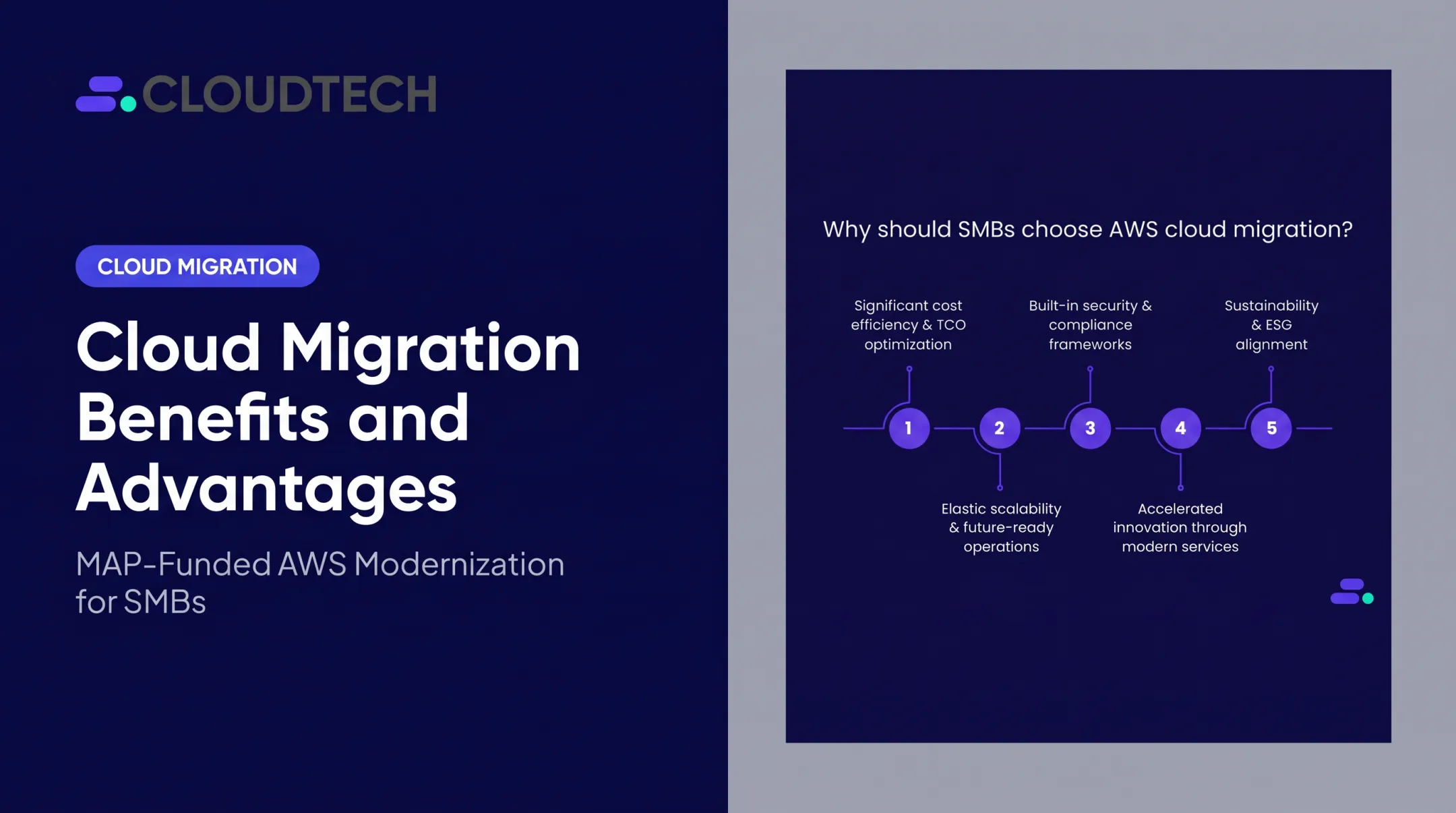
For SMBs, the appeal is straightforward:
- Elastic scalability — scale compute and storage up or down with demand, without hardware procurement cycles
- Faster provisioning — stand up new environments in minutes instead of waiting weeks for hardware
- Resilient infrastructure — built-in redundancy, automated backups, and Multi-AZ (multi-data-center) deployments
- Access to managed services — Amazon Aurora, for example, handles backups and failovers without a dedicated DBA
- Freed-up internal teams — engineers spend less time on maintenance and more on product work
Migration Doesn't Automatically Save Money or Improve Security
This is where expectations go wrong. Moving to AWS doesn't guarantee lower costs or a more secure environment. Outcomes depend on architecture decisions, rightsizing, governance, and how you configure workloads under the AWS shared responsibility model. AWS secures the infrastructure of the cloud; you secure what runs in it, including data, access controls, and application configuration.

In practice, that means AWS won't block a public S3 bucket or force multi-factor authentication for your IAM users. Those are customer responsibilities, period.
Services, Tools, and Partners Aren't the Same Thing
People use these terms interchangeably, but they serve different purposes:
- AWS migration services (like Application Migration Service or DMS) are the platform's native execution engines
- AWS migration tools automate specific tasks — discovery, replication, file transfer
- AWS consulting partners provide the assessment, architecture, risk management, and knowledge transfer that tools alone can't deliver
AWS Migration Services, Tools, and Programs
Different workloads need different tools. Here's how the major AWS-native offerings map to common migration needs:
| Workload Type | AWS Tool | Key Decision Factor |
|---|---|---|
| Legacy server rehosting | AWS Application Migration Service (MGN) | Whether rehosting avoids major architectural rework |
| Database migration | AWS Database Migration Service (DMS) | Source/target engine compatibility (homogeneous vs. heterogeneous) |
| Bulk file and object transfer | AWS DataSync | Data volume (millions of files or petabytes) |
| Large transfers, limited bandwidth | AWS Snow Family | Bandwidth constraints and total data volume |
AWS Application Migration Service (MGN) continuously replicates source servers (physical, virtual, or cloud-based) into AWS and supports non-disruptive cutovers.
AWS DMS keeps the source database online during replication. It also handles schema conversion and change data capture for near-real-time sync.
AWS Migration Hub and Application Discovery Service stopped accepting new customers as of November 7, 2025. AWS now directs new discovery and tracking work to AWS Transform. Before you lock a plan to a service name, confirm current availability with AWS or your partner.
For discovery and assessment, Migration Evaluator builds a directional total-cost-of-ownership comparison using on-premises inventory and utilization data — useful for building the business case before you commit budget.
Prepare the Supporting Infrastructure First
Before any production workload moves, get these in place:
- IAM roles and policies with least-privilege access (avoid broad admin rights)
- VPC design and network segmentation
- CloudWatch for monitoring, CloudTrail for audit logging
- AWS Config for configuration tracking and compliance rules
- Encryption key management (KMS) and backup policies
- Cost-management tooling (budgets, alerts, Cost Explorer)
AWS also runs the Migration Acceleration Program (MAP) across Assess, Mobilize, and Migrate-and-Modernize phases. Support typically comes as service credits or partner investments that offset costs such as labor and parallel environments, not as a blanket cash grant. Eligibility and funding terms change, so confirm current details with AWS or an AWS Partner such as Cloudtech before assuming a specific dollar figure.
Migration Strategies and Workload Types
AWS's official framework for migration decisions is the seven Rs — and AWS is explicit that these aren't interchangeable labels; they represent fundamentally different levels of change:
- Rehost — move as-is, no code changes ("lift-and-shift")
- Relocate — shift servers and applications to AWS's version of your current platform
- Replatform — make minor optimizations during the move ("lift-tinker-and-shift")
- Refactor/re-architect — redesign for cloud-native capabilities; the most complex path
- Repurchase — swap in a SaaS or AWS Marketplace alternative
- Retire — decommission what's no longer needed
- Retain — leave it where it is, for now
Most organizations don't pick one strategy and apply it everywhere. A legacy ERP might get rehosted for speed, while a customer-facing app gets refactored for scalability—and that mix is expected.
How Migration Types Differ
- Database migrations need engine-compatibility checks and data-integrity validation
- Application migrations hinge on dependency mapping — undocumented APIs and batch jobs cause the most surprises
- Infrastructure migrations require network and connectivity testing before cutover
- Hybrid setups keep some workloads on-premises for latency, data residency, or regulatory reasons
- Cloud-to-cloud migrations still need the same discovery rigor as an on-premises move
Choosing the Right Strategy
Base each decision on:
- Business criticality and technical debt
- Available skills and hard deadlines
- How much downtime the business can tolerate
For every migration wave, document:
- The chosen strategy and who owns it
- Dependencies and success criteria
- A rollback plan
- The target AWS architecture
Skipping this step is how "quick" migrations turn into six-month fire drills.

How to Plan and Execute an AWS Migration
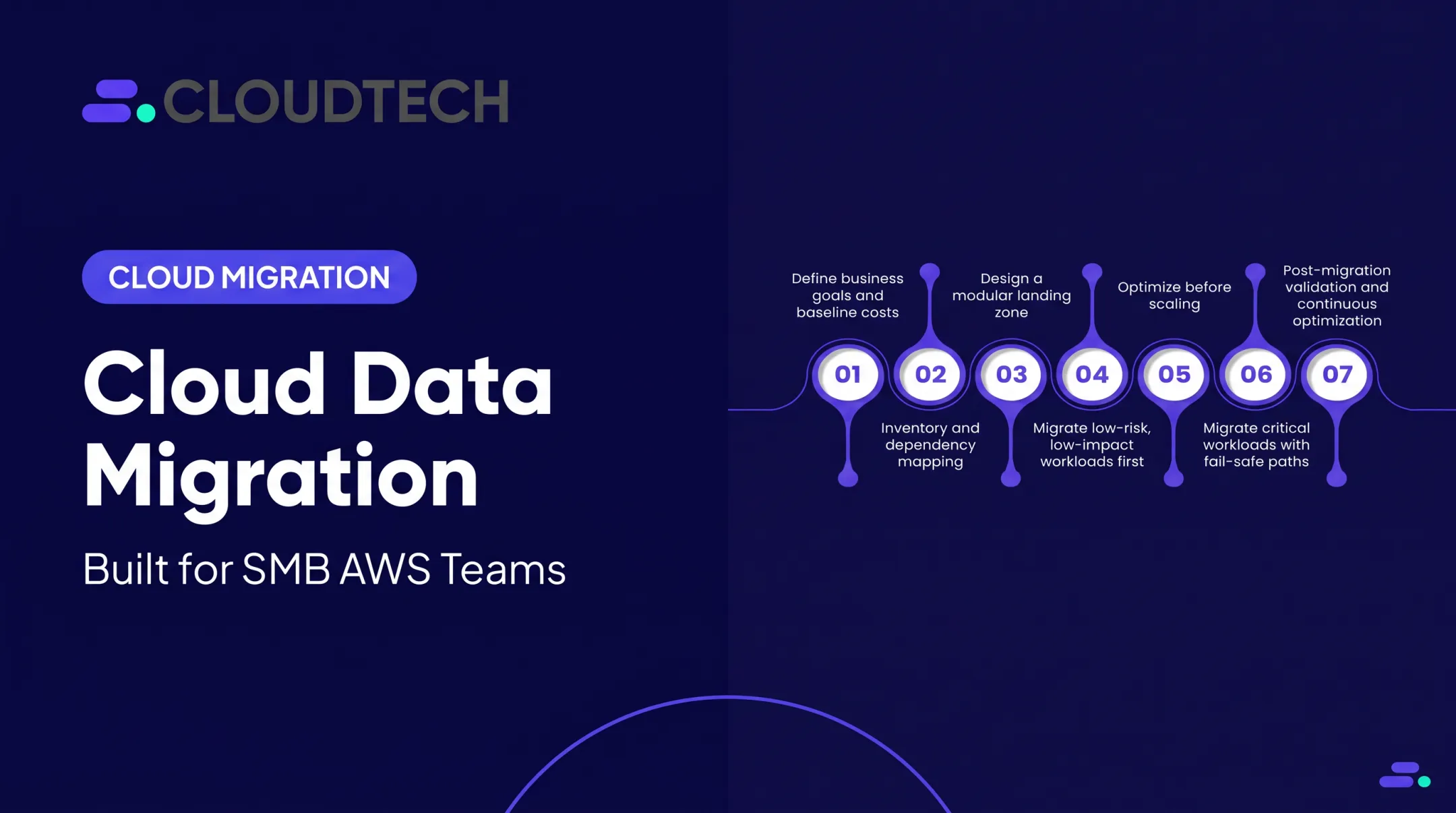
A disciplined migration follows a recognizable rhythm, even if the exact phase names vary by team. The simplified path looks like this:
- Assess — inventory applications, servers, databases, licensing, and dependencies; define measurable objectives
- Discover — use tools like Application Discovery Service and Systems Manager Inventory to map CPU, memory, and network usage
- Plan — design the target architecture, select strategies per workload, build the schedule
- Prepare — stand up the AWS foundation: accounts, VPCs, IAM, logging, encryption, tagging
- Pilot — migrate one low-risk, representative workload first and validate everything
- Migrate — move in controlled waves, with rollback paths ready
- Optimize — rightsize resources and tune costs after cutover
Mobilize Before You Migrate
Assign an executive sponsor and workload owners early. Assess your team's AWS skills honestly. Ramp-up for a team new to AWS can take several months, and that is before anyone touches production. Formal training through AWS Skill Builder or a partner program closes that gap faster than learning on the job during a live cutover.
Validate the Pilot, Then Scale
Pick a workload that's representative but forgiving of mistakes. Test connectivity, performance, data integrity, and who owns support once it's live.
Cloudtech migration engagements often complete packaged work in a few weeks, with longer custom timelines when complexity requires it. Teams use AWS Migration Evaluator for cost baselining, MGN and DMS for execution, and the AWS Well-Architected Framework to validate the result so issues surface in the pilot instead of production.
Cutover and Close Each Wave
Before cutover: take a final backup, run final data synchronization, and validate. AWS's own cutover guidance notes that locking the source database can extend the downtime window, so plan communication around that. After each wave, close it out with:

- Acceptance criteria sign-off
- Updated documentation
- Knowledge transfer to the internal team
- A review of migration KPIs before approving the next wave
Risks, Security, and Cost Controls
Most migration failures trace back to the same handful of issues: undocumented dependencies, weak identity controls, and nobody watching the parallel-environment bill.
Common Risks
- Legacy systems with undocumented APIs, batch jobs, or shared databases
- Overly permissive IAM policies that turn small breaches into big ones
- Misconfigured VPCs exposing internal services publicly
- Compliance gaps that surface only after go-live
- Running old and new environments simultaneously longer than planned, which quietly inflates costs
Practical Controls That Actually Work
- Encryption in transit and at rest, using AWS KMS and customer-managed keys
- Least-privilege IAM, enforced with IAM Access Analyzer
- Network segmentation through VPC design
- Audit logging via CloudTrail, with Amazon Inspector scanning for misconfigurations
- Staged cutovers with rehearsed rollback procedures
- Backup validation before every migration phase, not after
For cost control: tag everything, set budget alerts, rightsize continuously, and schedule shutdowns for temporary parallel-environment resources. A post-migration review of utilization and data-transfer costs catches the waste that always creeps in during a rushed cutover.
Regulated Workloads Carry Forward Their Obligations
AWS infrastructure doesn't erase your compliance responsibilities. HHS guidance is clear that a HIPAA-covered entity or business associate can use cloud services for electronic protected health information, but only with a compliant business associate agreement and a documented risk analysis. Confirm the division of security work between you and AWS in writing; don't assume it.
Financial services firms face the same reality under the FTC Safeguards Rule and FINRA guidance: outsourcing infrastructure doesn't outsource your regulatory duties. Research the specific requirements for your industry before migration, not after.

Choosing an AWS Migration Partner
Not every SMB needs a partner, but most benefit from one, especially when internal AWS experience is thin. A good partner combines assessment, architecture, implementation, optimization, and knowledge transfer instead of just administering a tool.
Selection Checklist
When evaluating a prospective partner, check for:
- AWS Partner status and relevant competencies (SMB Competency matters for smaller engagements)
- AWS certifications held by the actual team, not just the company logo
- Experience with your workload type and industry, especially if you're regulated
- Security and DevOps capability, not just migration execution
- Transparent methodology: ask them to walk through discovery, wave planning, and rollback
- References from similar-sized clients
- Post-migration support, not a handoff the day after cutover
Cloudtech is a boutique AWS consulting firm built for US SMBs and startups, not enterprise accounts. It holds AWS Advanced Tier Partner status with SMB Competency, and most of the team are former AWS employees with Solutions Architect and Expert certifications.
Engagements typically cover:
- Structured discovery and wave planning
- MAP funding capture where applicable
- Cutover support and hypercare
- Knowledge transfer so your internal team can operate independently
Cloudtech works across healthcare and life sciences, financial services, manufacturing, SaaS, retail, and logistics—industries with real compliance stakes, not generic migration templates.
Whoever you choose, ask them directly: how will you handle discovery, wave planning, security, cost governance, rollback, documentation, and getting my internal team up to speed? If the answer is vague, keep looking.
Frequently Asked Questions
What is AWS migration?
AWS migration is the planned movement of applications, data, databases, servers, or infrastructure into AWS. It's distinct from the broader work of planning, securing, testing, and optimizing the new environment once things land there.
How do I migrate to AWS?
The process generally covers assessment, discovery, architecture planning, landing-zone preparation, a pilot migration, phased waves, cutover, and post-migration optimization. Each step builds on the last. Skipping discovery, for instance, almost always causes problems later.
What are the 7 steps involved in migrating to the cloud?
Assess, discover, plan, prepare, pilot, migrate, and optimize. Organizations often name or combine these phases differently, but the underlying sequence stays consistent.
What are the AWS migration programs?
The AWS Migration Acceleration Program (MAP) is the main one, structured around Assess, Mobilize, and Migrate-and-Modernize phases, with potential service credits or partner investment support. Eligibility and funding terms change, so verify current details with AWS or an AWS Partner.
What are the AWS migration tools?
Key tools include AWS Application Migration Service (MGN), AWS Database Migration Service (DMS), AWS DataSync, AWS Snow Family, and assessment tools like Migration Evaluator. The right one depends entirely on the workload: servers, databases, and files each need a different approach.
What are the top cloud migration tools?
"Top" depends on what you're trying to accomplish. AWS-native tools (MGN, DMS, DataSync) handle execution directly, while third-party tools often add discovery, observability, automation, or cost-management features that complement rather than replace the AWS-native stack.