Introduction
Moving to AWS isn't a single decision. It's dozens of smaller ones, made application by application, database by database.
Many SMBs and startups struggle with this reality. They assume migration means picking one approach and applying it everywhere. That's rarely how it works in practice.
AWS itself warns that migrations carry real risk. Technical dependencies can disrupt operations, large data transfers take time, and rollback gets complicated without a plan, according to AWS's own cloud migration guidance.
This article breaks down what AWS cloud migration actually means, walks through the 7 Rs framework in detail, and shows you how to match each workload to the right strategy. We'll also cover the AWS services that support execution and the checks you need before finalizing any plan.
Key Takeaways
- An AWS migration strategy determines what happens to each individual workload, not your entire portfolio at once
- The 7 Rs address different technical and business scenarios, from quick rehosts to full refactors
- Most organizations end up using several strategies across their application portfolio, not just one
- Match each workload to goals, dependencies, risk tolerance, compliance needs, budget, and available skills
What Is AWS Cloud Migration and Why Is It Important?
AWS cloud migration is the process of moving applications, data, infrastructure, and the operational processes that support them from on-premises systems (or another cloud) into AWS. The harder part is deciding how each piece moves.
An AWS migration strategy isn't just a data-transfer plan. It's the decision about whether a workload gets moved as-is, lightly optimized, substantially redesigned, replaced outright, decommissioned, or kept where it is for now.
Strategy vs. Process: Two Different Things
People often conflate these terms, but they're not the same:
- Strategy describes the treatment of a single workload (do you rehost it? refactor it? retire it?)
- Process covers the full lifecycle: assessment, planning, migration execution, validation, cutover, and ongoing operations
You need both. A strategy without a process leads to chaos. A process without a clear strategy per workload leads to expensive rework.
What You Gain From Doing This Right
A well-planned migration gives SMBs access to things that are hard to replicate on-premises:
- Elastic scalability that matches demand without overprovisioning
- Managed services (databases, backups, monitoring) that reduce operational burden
- Faster release cycles once teams adopt cloud-native tooling
- Better observability into system health and performance
What Goes Wrong Without a Plan
Skip the planning phase, and you risk reproducing your on-premises inefficiencies inside AWS. AWS's own guidance flags hidden dependencies, unplanned downtime, and skills gaps as common migration pitfalls. Legacy systems may also need refactoring just to function properly in a cloud environment.
Security is part of this equation too. AWS operates on a shared responsibility model: AWS secures the infrastructure, but you're responsible for data protection, identity and access management, encryption choices, and configuration of the resources you deploy.
Governance, backup strategy, and compliance obligations need to be worked out before workloads move, not after. Getting that sequence right—and matching each workload to the right migration approach—is where experienced AWS partners like Cloudtech help SMBs avoid expensive rework.

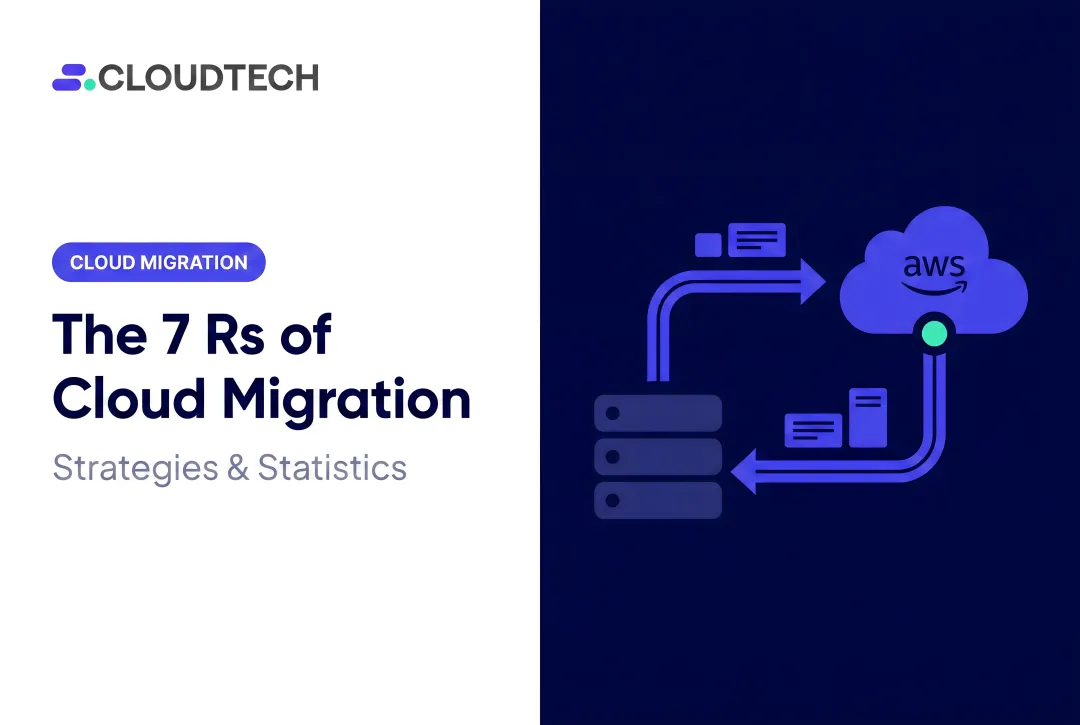
AWS Cloud Migration Strategies: The 7 Rs
The 7 Rs framework treats migration as a workload-by-workload decision, not a blanket policy. The right strategy for your billing system may look nothing like the right strategy for your marketing website.
AWS's current guidance lists seven strategies: retire, retain, rehost, relocate, repurchase, replatform, and refactor. Earlier AWS materials referenced six of these; "relocate" was added later as AWS expanded its guidance around moving virtualized environments directly into the cloud.
Rehost ("Lift and Shift")
Rehosting moves a workload to AWS with minimal changes to its architecture or code. You're using comparable compute, storage, and networking resources, just hosted differently.
This approach fits:
- Stable applications that aren't actively causing problems
- Urgent data-center exit projects with hard deadlines
- Teams that need to move now and optimize later
The trade-off? You carry your technical debt with you. Rehosting doesn't unlock cloud-native benefits like autoscaling or managed database features on its own.
Relocate
Relocation moves workloads into an equivalent AWS environment with limited application changes. Think moving a VMware or Hyper-V environment directly into AWS without refactoring anything underneath it.
This can reduce operational disruption and retraining since your team keeps working with familiar tooling. Before choosing this path, validate:
- Target platform and networking setup
- Licensing terms and support model
- License mobility rights with your software vendors
Replatform ("Lift and Reshape")
Replatforming introduces targeted changes, like moving to a managed database or container platform, without a full redesign. An Oracle-to-Amazon RDS for PostgreSQL move is a common example. It can reduce licensing costs while gaining automated backups and patching.
This strategy balances speed against optimization. The risk sits in the details—budget time for:
- Added configuration work
- Compatibility testing
- Transitional complexity during cutover
Refactor or Rearchitect
Refactoring means materially changing an application's architecture to use cloud-native patterns: containers, microservices, event-driven components, or serverless functions.
This is the right call when:
- Scalability or performance demands exceed what a lift-and-shift can deliver
- Release velocity matters and your current architecture is slowing you down
- Resilience requirements justify the extra investment
It's also the most expensive and time-intensive of the 7 Rs. Budget for greater cost, more testing, and specialized skills.
Repurchase ("Drop and Shop")
Repurchasing replaces an existing system with a different product entirely, often a SaaS application or an AWS Marketplace offering. A retail business swapping an in-house CRM for Salesforce is a typical example.
Before committing, work through:
- Vendor evaluation and data portability
- Integration requirements with your existing stack
- Licensing, security, and compliance implications
- User adoption and change management
The risk here isn't technical, it's operational: you're changing functionality and workflows, not just infrastructure.

Retire
Retiring means decommissioning a workload that no longer provides sufficient business value. Maybe it's redundant. Maybe dependency analysis showed nobody actually uses it anymore.
Before shutting anything down, confirm:
- Who owns the system and its data
- Retention and audit requirements
- Any integrations that quietly depend on it
- Backup status and rollback needs if you're wrong about it being unused
Retain ("Revisit")
Retaining keeps a workload in its current environment, temporarily or indefinitely. Common reasons include compliance constraints, latency sensitivity, recent capital investment, or a vendor limitation that blocks migration.
A healthcare organization might retain a legacy PACS imaging system for latency and compliance reasons while migrating scheduling, billing, and analytics workloads to AWS. That's a reasonable split.
The catch: retained workloads still need an owner, monitoring, and a scheduled review date. Otherwise "retain" quietly becomes "forgotten," which is its own risk.
How to Choose the Right AWS Migration Strategy
The right strategy comes from business value, workload characteristics, and risk, not from picking the most technically impressive option on the list. A modern refactor sounds appealing, but it's the wrong call if your team lacks the bandwidth to support it.
Start With Business Goals and Urgency
Match your migration driver to the strategy that actually supports it:
- Data-center exit deadlines often favor rehosting or relocation since speed matters more than optimization
- Faster release cycles point toward replatforming or refactoring
- Regulatory alignment may require replatforming to managed services with better compliance tooling
- Cost visibility goals benefit from any strategy paired with strong tagging and monitoring practices
Tight deadlines and low disruption tolerance tend to push teams toward rehosting first, then optimizing later. Long-term differentiation goals justify the heavier lift of refactoring.
Assess Workload Complexity and Dependencies
Before assigning a strategy, review:
- Application architecture and database connections
- Integration points and identity dependencies
- Licensing constraints and data gravity
- Latency requirements and operational ownership
Start with lower-risk workloads or a scoped pilot. This validates your assumptions, tooling, and team readiness before you commit to a full-scale rollout.
Weigh Cost, Skills, and Operating Model
Compare the one-time migration effort against ongoing AWS consumption, licensing, support, and optimization costs. AWS Pricing Calculator helps estimate new workload costs and compare them against your current baseline. Pair that with AWS Budgets for spend tracking and rightsizing recommendations in Cost Explorer to catch underutilized resources early.
Common cost surprises during migration include:
- Unplanned egress fees
- Legacy licenses that don't transfer cleanly
- Poorly sequenced cutovers that extend timelines

Evaluate Security, Compliance, and Reversibility
Before finalizing anything, assess:
- Data classification and encryption requirements
- IAM structure, logging, and backup coverage
- Disaster recovery and availability targets
- Data residency and obligations like HIPAA or PCI DSS where applicable
Define your testing, rollback, and cutover criteria upfront. That includes performance, security, data-integrity, and user-acceptance validation, not just "did it move successfully."
Where AWS Migration Services Fit In
Several AWS services support execution, but they don't replace strategic decisions:
| Service | Primary Role |
|---|---|
| AWS Application Migration Service | Automates rehosting through continuous replication |
| AWS Database Migration Service (DMS) | Migrates and modernizes databases with minimal downtime |
| AWS Migration Hub | Tracks discovery and migration progress across services |
| AWS Control Tower | Establishes governed, multi-account landing zones |
| AWS Transfer Family | Manages file-transfer workflows into AWS storage |
These tools help with execution and governance. The 7 Rs remain the strategic decisions for each workload.
This is where an experienced partner tends to pay off. Cloudtech, an AWS Advanced Tier Partner based in New York, works with SMBs and startups to assess workload portfolios, choose the right mix of the 7 Rs, and build a secure AWS foundation with Control Tower and IAM baselines before any workload moves.
Their team—largely former AWS employees—uses AWS Application Discovery Service and Systems Manager Inventory to surface hidden dependencies, such as on-prem authentication links or EHR connectors, that rushed assessments often miss.
What to Check Before Finalizing an AWS Migration Strategy
Don't lock in rehosting, replatforming, or refactoring before you've documented the fundamentals. Skipping this step is how migrations run over budget and over schedule.
Confirm these before moving forward:
- Ownership and dependencies: who owns each application, and what depends on it
- Data flows and compliance: where data lives, and which regulations apply
- Business criticality and success criteria: what "done" actually looks like
Avoid defaulting to the most advanced strategy just because it sounds better. Compare the expected business value of modernization against the migration effort, skills required, and ongoing operating cost. Sometimes a rehost genuinely is the right call, even if refactoring seems more impressive on paper.
Post-migration responsibilities matter just as much as the move itself:
- Confirm monitoring and incident response before cutover, not after
- Verify backup and recovery in the new environment
- Establish cost governance with tagging, budgets, and access reviews
- Document the new architecture and train staff on it
- Schedule an optimization review 60–90 days post-migration

A solid pre-migration checklist covers discovery, target architecture, security controls, test environments, cutover communications, rollback procedures, and decommissioning approvals. Skip any of these, and you will rediscover them during cutover weekend.
Conclusion
AWS cloud migration is a portfolio decision, not a single technical action. Different workloads carry different risks, dependencies, and business value, which is exactly why the 7 Rs exist as separate strategies rather than one universal approach.
Balancing speed, cost, risk, and long-term business value across dozens of applications isn't simple. It becomes manageable when you start with real workload discovery and measurable objectives—not guesswork.
Begin there. Validate your strategy with a controlled pilot, then keep optimizing once workloads land in AWS. That's the difference between a migration that solves problems and one that only relocates them.
If your portfolio spans mixed risks and dependencies, Cloudtech helps SMBs map the right 7 Rs path and execute with MAP-funded migration support.
Frequently Asked Questions
What are the 7 steps of a cloud migration model?
AWS describes large migrations in phases: assess, mobilize, and migrate & modernize, not seven discrete steps. This differs from the 7 Rs, which classify how individual workloads are treated during that process.
What is an AWS migration?
An AWS migration is the movement of applications, data, infrastructure, and related operational processes into AWS. It may involve rehosting, modernization, replacement, retirement, or simply retaining a workload elsewhere for now.
What are the migration services available in AWS?
Key services include AWS Application Migration Service, AWS Database Migration Service, AWS Migration Hub, AWS Control Tower, and AWS Transfer Family. The best fit depends on your workload type and which migration phase you're in.
What are the 6 Rs of cloud migration?
The original six are rehost, replatform, repurchase, refactor, retire, and retain. Current AWS materials add relocate as a seventh strategy, mainly for moving virtualized environments directly into AWS.
What are the four types of data migration?
Common categories include storage migration, database migration, application migration, and business-process migration. Terminology varies by source, so match it to whichever framework you're referencing.