Case studies matter because they show the trade-offs real organizations made. A university racing a demolition deadline made different calls than a retailer bracing for its busiest shopping weeks, or a healthcare provider protecting patient records. Their constraints, timelines, and risk tolerance shaped which migration strategy they picked, and why.
This article walks through four verified AWS migration examples, pulls out the lessons that transfer across industries, and covers the tools AWS provides to execute a migration safely. We'll close with how U.S. small and mid-market businesses can apply the same principles at a fraction of enterprise scale.
Key Takeaways
- Successful AWS programs start with measurable business goals, dependency mapping, and workload prioritization, not a blanket lift-and-shift
- Rehost, replatform, refactor, repurchase, retire, retain, and relocate strategies work best when applied selectively, never as one enterprise-wide mandate
- Modernization success shows up in reliability, deployment speed, security posture, and cost visibility, not just a completed move
- Phased delivery, stakeholder buy-in, and post-migration optimization matter as much as the migration itself
AWS Migration and Modernization Case Studies
Each example below follows the same lens: what the organization was dealing with, what they set out to achieve, how they used AWS, what changed, and the lesson another business can borrow. We're separating migration results (did it move successfully) from modernization results (did it actually get better), because vendor case studies often blur the two together.
Legacy Data Center Exit: University of Newcastle
The University of Newcastle had a hard deadline: its data center was being demolished. That forced a decision most organizations spend years deliberating: migrate fast or scramble for new on-premises space.
Working with AWS and consulting partner Deloitte, the university moved 139 applications in nine months, finishing by June 2020. According to the official AWS case study, 72% of applications were replatformed and 23% were refactored.
That pushed 95% of the portfolio through some form of transformation against an original 65% target. A quarter of the legacy application portfolio was retired outright rather than migrated.
The results split into two buckets:
Migration outcomes:
- 139 applications moved in nine months, ahead of the demolition deadline
- A quarter of legacy applications decommissioned instead of carried forward
Modernization outcomes:
- An estimated 20% reduction in IT infrastructure costs
- Routine system changes dropped from more than three weeks to half a day
- Infrastructure deployment outside the core system fell from eight weeks to six minutes through self-provisioning
- Amazon RDS Multi-AZ added automatic database failover, improving disaster recovery
The transferable lesson: a hard deadline is a forcing function, not a strategy on its own. The university paired it with governance, stakeholder workshops, and dependency analysis so the rush didn't create new technical debt. If you must move by a fixed date, still budget discovery—skipping it only pushes risk downstream.
Peak-Demand Retail Modernization
Retailers face a specific problem: traffic that's flat for 50 weeks a year and brutal for two. Building infrastructure for peak season means paying for idle capacity the other 50 weeks, or risking a crash during the days that matter most.
A retail transformation case study published by AWS partner Augusta Hitech describes this exact pattern: a retail chain whose legacy infrastructure couldn't handle seasonal spikes without manual intervention and overprovisioning. The documented architecture included:
- Amazon EC2 for elastic compute capacity that scales up during peak traffic and back down afterward
- Amazon S3 for scalable object storage, separating static assets from compute
- Amazon RDS for a managed database layer, removing manual patching and scaling work
- AWS Lambda for event-driven functions like real-time inventory updates
The case study reports improved handling of holiday peak loads and reduced downtime, though it doesn't publish a specific traffic figure or baseline. That's worth flagging: vendor case studies don't always give you a clean before-and-after number. Treating every published statistic as a universal benchmark for your own migration is a mistake.
The lesson that does transfer: elasticity, managed databases, and event-driven components solve a specific operational problem, seasonal demand you can't staff for manually, when they're tied to an actual business constraint. Start with "what happens to us during our busiest week," then work backward to the architecture.
Regulated and Availability-Sensitive Workloads
Healthcare workloads carry a different kind of pressure: protected health information, uptime tied directly to patient care, and compliance requirements that don't forgive shortcuts.
Baptist Memorial Health Care, a system with 22 hospitals and more than 200 clinics, migrated its Epic EHR environment to AWS with implementation partner Optimum Healthcare IT. According to AWS's published case study, the five-month migration delivered 20% better application response times and 60% fewer exceptions.
The stack used Amazon EC2, Amazon S3, and the AWS Landing Zone Accelerator for Healthcare to support HIPAA-related requirements and improve resilience.
That's a large health system, not an SMB proxy. The architectural pattern still scales down well.
A healthcare provider in a data center on an active fault line faced aging EHR infrastructure, a thin IT team, and no acceptable disaster-recovery story. Cloudtech ran a discovery workshop, then a phased AWS build that moved EHR and business-critical data into an encrypted Amazon S3-based data lake. Controls included:
- AWS Organizations, IAM Identity Center, and AWS Control Tower for centralized access and governance
- Backup schedules aligned to HIPAA and the organization's recovery objectives
The outcome: a 77% reduction in annual infrastructure costs, improved disaster recovery, and zero disruption to clinical workflows during the migration. Internal IT staff were upskilled to run the new environment independently rather than depend on an outside vendor long-term.

What both examples confirm: AWS managed services lighten the infrastructure load, but configuration, identity, data governance, and compliance stay on the customer. For a healthcare or life-sciences SMB, treat compliance as an architectural requirement from the first discovery conversation—not a checklist after go-live.
Data and Application-Platform Modernization
Not every modernization project is about servers. Some are about data that's technically in the cloud but still too slow or too siloed to be useful.
An airline running Cloudera on AWS wanted lower ownership costs and faster development of new analytics use cases, but the existing setup made both difficult. According to DATAPAO's published case study, the team migrated the airline's data platform to Databricks, using metadata-driven ingestion across Bronze and Silver data layers, schema evolution, data anonymization, and Unity Catalog for governance.
The reported results:
- Pipeline runtimes dropped from six hours to 20 minutes
- Ingestion of thousands of data tables was accelerated
- Roughly 75 new data applications and use cases were identified for future development
That last figure is a pipeline of planned work, not a count of completed projects, a useful distinction when reading any vendor-reported roadmap number.
Why this matters beyond airlines: data modernization usually continues after the infrastructure move is “done.” Teams that see real value keep investing in data quality, clear ownership, and a roadmap tied to specific analytics or AI use cases. Skip that follow-through, and you get a cloud bill with the same slow reporting you started with.
What These Case Studies Teach About Choosing a Migration Strategy
You'll see migration strategies referred to as the "5 Rs," "6 Rs," or "7 Rs" depending on where you look. AWS's current prescriptive guidance uses seven: retire, retain, rehost, relocate, repurchase, replatform, and refactor. The older "5 Rs" shorthand is a simplified version of the same idea, not a competing framework.
Matching Strategy to Workload
Each case study above used a different mix:
- Rehost when a deadline forces a fast lift-and-shift and optimization can wait
- Replatform for targeted gains, like moving a self-managed database to Amazon RDS without rewriting the app
- Refactor or rearchitect when you need cloud-native scale, as with the serverless patient-intake and inventory systems above
- Repurchase when a SaaS product covers the requirement better than maintaining custom code
- Retire or retain when migration cost outweighs value, or compliance and latency make leaving the system in place safer
Newcastle leaned on replatform and refactor because it had a deadline but still wanted real modernization gains. The healthcare examples retained specific systems, like legacy imaging platforms, while modernizing everything around them.
Why Portfolio-Level Planning Matters
Those mixed choices are the point. No organization in these case studies used one strategy for every application. Dependencies, data gravity, compliance scope, downtime tolerance, and internal team skills push different applications toward different answers. A payroll system and a customer-facing mobile app rarely belong in the same migration wave, let alone the same strategy.
Metrics Worth Tracking
Once strategies differ by workload, results have to be measured the same way. Before and after any migration, track:
- Availability and uptime
- Application latency
- Deployment frequency
- Recovery time objective (RTO) and recovery point objective (RPO)
- Infrastructure and operational cost
- Manual effort required to run the system
Risk Controls That Show Up Repeatedly
The successful examples above share a pattern: dependency discovery before cutover, a pilot workload before a full wave, staged rollouts instead of a single cutover, and ongoing stakeholder communication. Treat strategy choice as a portfolio decision—pilot first, wave second, and only expand what the metrics support.

AWS Migration Tools and Execution Practices
AWS's tooling maps to specific migration activities. Picking the right one starts with knowing what stage you're in.
Discovery and Assessment
- AWS Migration Evaluator builds a directional business case using measured on-premises utilization data. It's free to use, but accuracy depends on how complete your existing inventory is.
- AWS Application Discovery Service maps on-premises servers and dependencies before migration. This service closed to new customers in November 2025, with AWS now directing new discovery work toward AWS Transform.
Server, Application, and Database Migration
- AWS Application Migration Service (MGN), now operating under the AWS Transform MGN name, handles continuous block-level replication for near-zero-downtime cutovers. It doesn't support every operating system; 32-bit Linux is a notable gap.
- AWS Database Migration Service (DMS) moves databases between supported source and target engines. Schema conversion is a separate step when engines differ.
Governance, Security, and Observability
| Tool | Primary Use | Watch For |
|---|---|---|
| AWS Control Tower | Governed, multi-account landing zone | Some controls don't operate in every Region |
| AWS Organizations | Service control policies across accounts | SCPs restrict permissions; they don't grant them |
| AWS Config | Records resource configuration for audits | Coverage depends on resource type and Region |
| AWS Security Hub | Aggregates and prioritizes security findings | Most checks require AWS Config enabled first |
| Amazon CloudWatch | Monitors metrics, logs, and alarms | Basic EC2 monitoring samples every 5 minutes, not 1 |
Backup and Cost Management
- AWS Backup centralizes backup policy, though feature support varies by resource type and Region
- AWS Cost Explorer analyzes spend and forecasts usage, with current-month data typically available after about 24 hours
- AWS Budgets sends threshold alerts, though data refreshes up to three times daily rather than instantly
Data Transfer: Online vs. Offline
Choose online replication or physical transfer based on:
- Data volume
- Available bandwidth
- Security requirements
- Cutover timing
AWS's own guidance illustrates the math: moving 500 TB takes roughly 58 days over a 1 Gbps connection versus about 6 days at 10 Gbps. When internet transfer takes less than a week, physical transfer rarely makes sense.

AWS Snowball Edge is no longer available to new customers. AWS now points toward AWS DataSync for online transfer or AWS Data Transfer Terminal for physical transfer.
Four Practical Phases
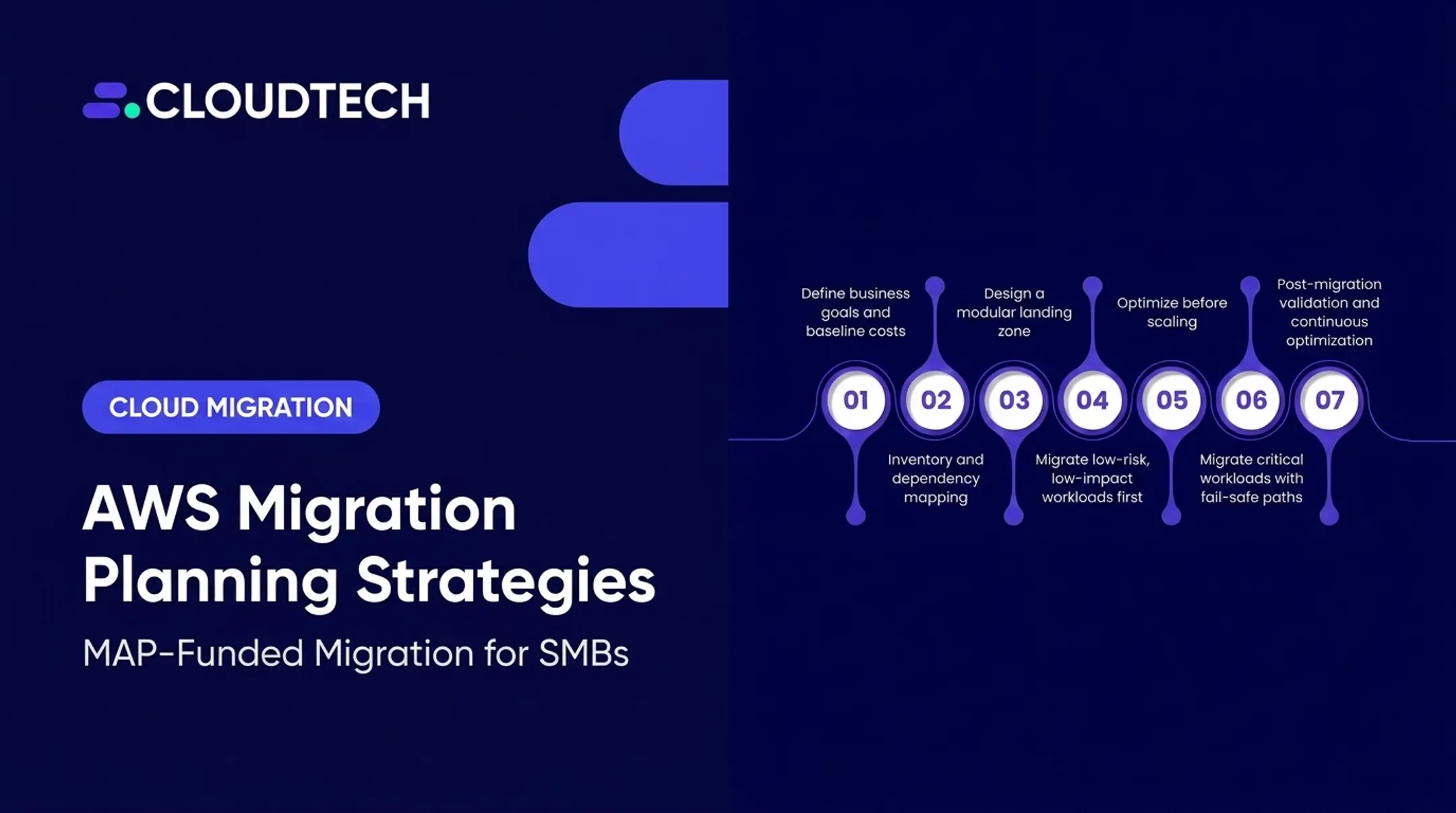
- Assess and prioritize: inventory workloads, map dependencies, build the business case
- Mobilize: establish a secure landing zone, governance structure, and wave plan
- Migrate and validate: move workloads in waves, testing each before moving to the next
- Optimize: right-size resources, tighten security, and fix what the migration exposed
Bake these in from day one:
- Least-privilege IAM
- Encryption at rest and in transit
- Network segmentation
- Centralized logging
- Cost-allocation tagging
- A documented rollback plan
Retrofitting them later costs more than building them in from the start.
Applying the Case-Study Lessons to U.S. SMBs
Enterprise case studies are useful for pattern-matching, not for copying line-by-line. A 139-application portfolio migration doesn't translate to a 15-person logistics company—so here's the same playbook at SMB scale.
Start With Inventory, Not Infrastructure
Before touching AWS, document:
- Every application and its dependencies
- The actual business case for migrating: cost, risk, speed, or all three
- One low-risk pilot workload to prove the approach
- Baseline metrics for cost, uptime, and performance
- A wave plan that protects daily operations during the work
Balance Speed and Modernization
Most SMBs can't afford a full rewrite, and shouldn't attempt one:
- Rehost what needs to move quickly or rarely changes
- Replatform the handful of systems where a managed database or storage service removes real operational pain
- Refactor only the highest-value workloads—where scale or customer experience directly drives revenue
Where a Consulting Partner Fits
This is where firms like Cloudtech typically get involved. As an AWS Advanced Tier Partner working exclusively with U.S. small and mid-market businesses, Cloudtech runs discovery workshops, builds secure AWS landing zones, and executes phased migrations with rollback checkpoints rather than single high-risk cutovers. Most of the team are former AWS employees, so they know which shortcuts create cost, security, or ops problems six months later.

Questions Worth Asking Any AWS Partner
- What AWS credentials and delivery experience apply to workloads like ours?
- How are security and compliance (HIPAA, SOC 2) handled during and after migration?
- How are costs forecast, monitored, and reported month to month?
- Who owns which decisions during the engagement?
- How is knowledge transferred to our internal team?
- What specific metrics will define success?
Conclusion: Turning Case Studies Into an AWS Action Plan
None of the examples above prove there's one correct way to migrate to AWS. Newcastle needed speed and still got modernization gains. The healthcare examples needed compliance first and cost savings second. The data platform example needed speed-to-insight more than infrastructure change.
What connects them is that each organization tied specific AWS services to a measurable business outcome, not the other way around.
If you're starting this process, the next move isn't picking services. Document these four things first:
- Current workloads and how they depend on each other
- Real constraints around budget, compliance, and downtime
- Business outcomes you're targeting
- Applications that could move first with the least risk
That document turns a case study into your own migration plan.
Cloudtech offers a free AWS migration readiness assessment for U.S. SMBs ready to turn that list into a wave plan.
Frequently Asked Questions
What are the 5 R's in cloud migration?
The 5 Rs are rehost, replatform, refactor (or re-architect), repurchase, and retire. AWS guidance now expands this to 7 Rs, adding retain and relocate for workloads that stay put or move between platforms without redesign.
What are some examples of cloud migration projects?
Published examples include the University of Newcastle's data center exit (139 applications in nine months) and Baptist Memorial Health Care's Epic EHR migration. Retail peak-demand modernization on EC2 and Lambda, and airline data platform work such as DATAPAO's, follow the same patterns.
What are the top 10 cloud migration tools?
On AWS, ten core tools cover the full path. Migration Evaluator, Application Migration Service (MGN), and Database Migration Service handle assessment and cutover; Control Tower, Organizations, and CloudFormation handle governance; CloudWatch, Config, Backup, and Cost Explorer handle operations and cost control.