Introduction
An AWS migration project is rarely just "move the servers." It's a coordinated shift touching applications, databases, infrastructure, security, your team's daily workflows, and how operations run afterward.
Most teams we talk to share the same concerns:
- Surprise AWS bills after cutover
- Downtime that disrupts customers
- Compatibility issues nobody flagged early
- Unclear ownership between IT and leadership
- Confusion over which AWS service fits the workload
This guide walks through the full migration lifecycle, from initial assessment to post-migration optimization, so you know what to expect at each stage and which AWS tools apply to your workload.
Key Takeaways
- Define measurable business outcomes before any workload moves to AWS
- Match each workload to the right migration strategy before you cut over
- Choose AWS DMS, Application Migration Service, or DataSync based on the problem each tool solves
- Build testing, security validation, and rollback planning into the project plan from day one
- Post-migration optimization determines whether the move actually pays off
What AWS Migration Projects Involve
An AWS migration project is the planned movement or modernization of applications, databases, files, servers, and the operating processes around them into AWS.
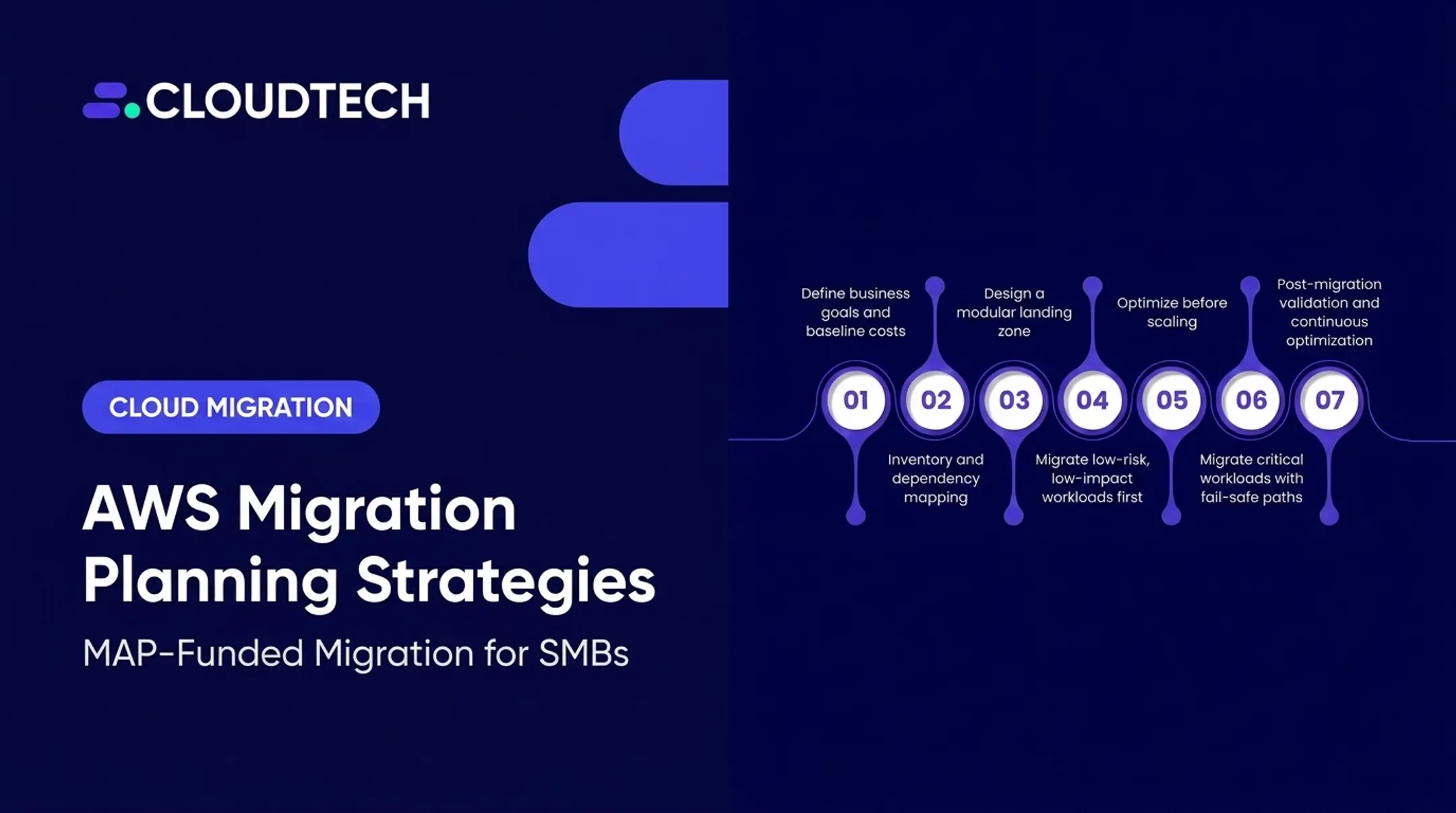
AWS's own Well-Architected guidance frames this as three phases: assess, mobilize, and migrate and modernize. That means collecting workload data, building the landing zone, then executing and refining in waves (AWS Well-Architected migration lifecycle).

In practice, that breaks down into a few distinct project types:
- Server and application migration from on-premises infrastructure or another cloud provider
- Database migration to managed services such as Amazon RDS or Amazon Aurora
- File and storage migration to Amazon S3 or Amazon EFS
- Application modernization involving containers, serverless compute, or refactored architectures
Migration Is Not the Same as Modernization
A common mistake is trying to migrate and modernize in one high-risk cutover. Many teams rehost first, moving a workload largely as-is onto EC2, then modernize later once it's stable in AWS.
Cloudtech's engagements often follow this pattern. A detailed workload inventory catalogs applications, databases, and infrastructure dependencies before deciding what moves now versus what gets refactored later.
Project scope shifts based on:
- Workload criticality and acceptable downtime
- Data volume and application dependencies
- Compliance requirements (HIPAA, SOC 2, PCI)
- Your team's existing AWS skills
A healthcare EHR system split into Amazon ECS containers, with its database moved to Amazon RDS and patient notifications handled through AWS Lambda, is a good example of refactoring done deliberately, not bolted onto a rushed lift-and-shift.
How to Plan an AWS Migration Project
Planning starts with business goals, not technology. "Move to the cloud" isn't a KPI. Reduce infrastructure maintenance costs by 20% or cut deployment time from weeks to days are.
Those goals only stick if you know what you are moving. Start with a full inventory.
Build a Complete Inventory First
Before you pick a migration strategy, get full visibility into:
- Applications, servers, databases, and storage
- Integrations and technical dependencies
- Data classifications and compliance flags
- Utilization patterns and owners
Teams historically used AWS Application Discovery Service and AWS Migration Hub for this work. Both tools stopped accepting new customers as of November 7, 2025, though existing users can continue using them (AWS Migration Hub availability change).
If you are starting fresh, confirm current options such as AWS Transform before you lock tooling into the plan. AWS Migration Evaluator remains a solid way to build a directional cost case from measured on-premises usage.
Apply a Strategy Per Workload
AWS's current guidance expands the familiar "6 Rs" into seven strategies, adding relocate to the mix:
| Strategy | When to use it |
|---|---|
| Rehost | Speed and minimal change are priorities |
| Replatform | Managed AWS services improve operations without a redesign |
| Refactor | Workload needs architectural change for scalability or resilience |
| Repurchase | Replacing with a different product makes more sense |
| Retire | The workload is no longer needed |
| Retain | Migration gets deferred for now |
| Relocate | Moving infrastructure with minor changes for cloud performance |
Cloudtech applies the framework per workload, not as a blanket call: Amazon EC2 for rehosting, Amazon RDS for replatforming, and AWS Lambda when refactoring fits.
Prepare the Landing Zone
Before any production workload moves, your AWS landing zone needs:
- Account structure and VPC design
- IAM roles built on least-privilege access
- Logging, encryption, and backup policies
- Tagging and cost governance
AWS Control Tower is the standard path, with preventive and detective controls across a multi-account setup. Cloudtech typically configures Control Tower or custom VPC architectures first, then pre-sets IAM, KMS, and Config rules for regulated industries such as healthcare and financial services.
How to Execute and Validate an AWS Migration Project
Start With a Low-Risk Pilot
Never start with your most critical system. Begin with a low-risk pilot (an internal file share, staging environment, or non-customer-facing app) to validate:
- Network connectivity and identity
- Deployment processes
- Rollback procedures
In one documented case, running multiple pilot test cycles cut projected downtime from 2 hours to 10 minutes before the real cutover. A pilot surfaces problems while the stakes are still low.
Group Workloads Into Waves
Once the pilot confirms your path works, migration waves sequence workloads by dependency, business function, and risk. Define entry and exit criteria for each wave upfront: what must be true before a workload enters, and what validation must pass before it is done.
Database Migrations Need Two Separate Steps
Schema conversion and data movement are not the same job, and treating them as one is where most database migration headaches start.
- Convert the schema first. DMS Schema Conversion (built on the AWS Schema Conversion Tool engine) flags incompatible objects between source and target databases and shows what needs manual remediation.
- Migrate the data next. AWS Database Migration Service runs full-load migration and ongoing change data capture so the source stays operational while the target catches up.

One detail teams often miss: standard DMS migration does not automatically recreate every schema object. Secondary indexes, foreign keys, stored procedures, and triggers usually need separate handling (AWS DMS best practices). Plan for that work explicitly instead of discovering it during cutover weekend.
Build a Cutover Runbook
A solid cutover runbook covers:
- Final data synchronization and freeze window
- Stakeholder communication and approval authority
- DNS or traffic routing changes
- Smoke tests and application configuration checks
- Rollback triggers and the path back to source if validation fails
Validate at multiple levels:
- Row counts and checksums
- Schema and data-type checks
- Application functionality
- Performance baselines
- Security controls
Document outcomes and lessons learned so the next wave runs smoother than this one.
AWS Services and Tools for Migration Projects
Picking the right tool depends on what you're moving. Common project needs map to AWS services like this:
| Need | Tool | Best for |
|---|---|---|
| Central visibility | AWS Migration Hub | Tracking progress across multiple migration tools (existing accounts) |
| Discovery and business case | Migration Evaluator | Cost projections from measured usage |
| Server-level replication | AWS Application Migration Service | Lift-and-shift scenarios with minimal changes |
| Database migration | AWS DMS | Full-load and ongoing replication for supported engines |
| File and storage transfer | AWS DataSync | NFS/SMB transfers to S3, EFS, or FSx |
Match the tool to your constraints before you commit:
- Source and target compatibility
- Data volume and transfer window
- Downtime tolerance
- Security and compliance requirements
- Total project cost, including pricing after any free replication window ends
Confirm current capabilities, supported endpoints, and regional availability in official AWS documentation before you finalize the stack.
When the work involves complex transformations, unusual source systems, or orchestration beyond native tools, hands-on engineering support closes the gap. Cloudtech implements these migrations for SMBs as fixed-scope or milestone-based engagements, including MAP-funded paths where they apply.
Common Risks and Post-Migration Optimization
Every migration carries risk. The difference between a smooth project and a painful one usually comes down to whether you planned for them in advance.
- Incomplete dependency discovery — mitigate with application mapping, owner interviews, and pilot testing
- Data loss or inconsistency — maintain backups, monitor replication, and set clear rollback criteria
- Excessive downtime — use phased migration, pre-cutover testing, and carefully timed change windows
- Security exposure — apply private networking, encryption in transit and at rest, Secrets Manager for credentials, and IAM least privilege
- Cost overruns — establish budgets, tagging, alerts, and workload-level cost ownership from day one
After Cutover, the Work Continues
Post-migration operations are where you confirm the move actually worked. Build these into the runbook from day one:
- CloudWatch monitoring and alerting
- Log aggregation and backup verification
- Patching schedules
- Periodic disaster recovery tests against your RTO/RPO targets
Cloudtech works with SMBs and startups across healthcare, financial services, and manufacturing through this full lifecycle: assessment, planning, execution, and optimization afterward. Roughly 70% of the team are former AWS employees, and as an AWS Advanced Tier Partner with SMB Competency, Cloudtech treats migration as an ongoing partnership rather than a one-and-done handoff.

Frequently Asked Questions
What are the AWS migration programs?
AWS migration programs include structured guidance and funding initiatives like the AWS Migration Acceleration Program (MAP), which can offset one-time migration costs through credits or partner investment. Eligibility and terms vary, so confirm current details directly with AWS or a partner.
What is DMS in AWS migration?
AWS Database Migration Service moves supported databases and data stores, handling both full-load migration and ongoing change replication while the source stays operational. Schema conversion and application remediation are separate steps that need their own planning.
What are some examples of cloud migration projects?
Common examples include moving an on-premises app to EC2, migrating SQL Server or Oracle to RDS or Aurora, transferring files to S3, or modernizing a monolithic application into microservices. Choose the pattern after you map each workload’s dependencies and recovery needs.
How long does an AWS migration project take?
Timelines vary based on workload count, data volume, dependencies, and compliance needs. Many SMB migrations run 6 to 12 weeks in phases. Estimate through discovery and a pilot rather than committing to a fixed date upfront.
How do you reduce downtime during an AWS migration?
Combine replication tools, migration waves, and pre-cutover testing with clearly scheduled maintenance windows. Pair that with stakeholder communication and a tested rollback plan so the team can respond quickly if cutover issues appear.