Businesses juggling all of this at once tend to make one of two mistakes: rushing the move and inheriting old problems, or over-engineering the redesign before they even understand their current environment. Neither works well.
That's where the distinction between migration and modernization matters. Some workloads just need to be rehosted. Others deserve a full architectural rework, and some should be retired entirely. This guide walks through how to choose the right approach, structure the migration lifecycle, select the right AWS services, and avoid the mistakes that turn a six-week project into a six-month one.
Key Takeaways
- Migration moves apps and data to AWS; modernization redesigns architecture to unlock cloud-native speed, scale, and cost control.
- Choose a strategy by business criticality, technical debt, compliance, budget, and cloud skills—so risk and spend stay controlled.
- A phased approach (assess, pilot, migrate in waves, optimize) reduces risk far more than a single big-bang cutover.
- Plan security, cost governance, and observability before cutover—not after an outage or bill shock.
AWS Migration vs. Modernization: What Is the Difference?
Migration is the planned movement of applications, databases, servers, and supporting infrastructure from on-premises environments, or another cloud, into AWS. It's about destination: where the workload runs after the project ends.
Modernization is what happens to a workload's design during or after that move. It includes adopting managed services, containers, serverless components, CI/CD automation, better observability, or a full architectural redesign. Modernization is about long-term performance, resilience, and business value, not just location.
AWS itself draws this same line in its migration and modernization guidance, grouping decisions like retain, retire, and rehost as migration choices, while describing replatforming and refactoring as modernization paths in its migration and modernization executive guidance.
A Concrete Example
Say a company runs a self-managed SQL Server database on aging hardware:
- Replatforming moves that database to Amazon RDS, trimming patching and backup overhead without rewriting the application.
- Refactoring goes further, breaking the monolithic application into independently deployable services that scale on their own.
Both are valid. Timeline pressure, team capacity, and technical debt usually decide which path fits.
Why a Two-Stage Approach Often Wins
For legacy or business-critical systems, migrating first and modernizing second tends to be the safer path. You get the workload off failing hardware quickly, then study its real performance baseline and dependencies before deciding what to redesign.
Cloudtech builds this staging into its migration work by establishing the AWS foundation, such as Control Tower, IAM baselines, and centralized logging, before a single workload moves. That groundwork means modernization decisions later are based on actual usage data, not guesswork.

Choosing an AWS Migration and Modernization Strategy
AWS organizes migration decisions into what it calls the 7 Rs. These are not sequential phases. They're independent options you apply per workload, based on that workload's own needs.
| Strategy | What It Means | Best Fit |
|---|---|---|
| Rehost | Move as-is, no code changes ("lift and shift") | Speed, data center exit, disaster recovery |
| Relocate | Move servers or resources between platforms/VPCs/accounts | Platform-level moves with minimal app changes |
| Replatform | Move with light optimization, no full redesign | Database modernization, config tweaks |
| Refactor/Re-architect | Redesign for cloud-native architecture | Major scalability, resilience, or release-speed goals |
| Repurchase | Replace with a SaaS or different product | Legacy tools with modern SaaS equivalents |
| Retain | Keep where it is | Compliance constraints, low ROI to move now |
| Retire | Decommission | Low or no business value |
This framework comes directly from AWS Prescriptive Guidance, which also notes that most portfolios use a mix of these strategies rather than one approach across the board.
When Each Strategy Makes Sense
- Rehost when speed beats optimization—urgent data center exits or disaster-recovery needs. Tradeoff: you keep existing technical debt and delay cloud-native gains.
- Replatform or relocate when you want measurable gains without a rewrite, such as moving a database to a managed AWS service.
- Refactor when you truly need major scalability, faster releases, or deeper system integration. Higher engineering and testing cost means it should not be the default.
- Repurchase, retain, or retire for the rest of the portfolio: swap a clunky CRM for SaaS, leave a tightly regulated system in place, or decommission tools with no business value.
A Quick Decision Checklist
Before assigning a strategy to any workload, weigh:
- Business value and criticality
- Dependencies on other systems
- Data sensitivity and compliance exposure
- Downtime tolerance
- Existing technical debt
- Expected modernization payoff
- Budget and available in-house skills
Example: A mid-sized healthcare SMB runs a patient portal, an internal scheduling tool, and a legacy fax-based intake system.
It might rehost the portal for speed, replatform the scheduling database to Amazon RDS, and retire the fax system for a modern intake workflow—three workloads, three valid decisions.
The AWS Migration and Modernization Roadmap
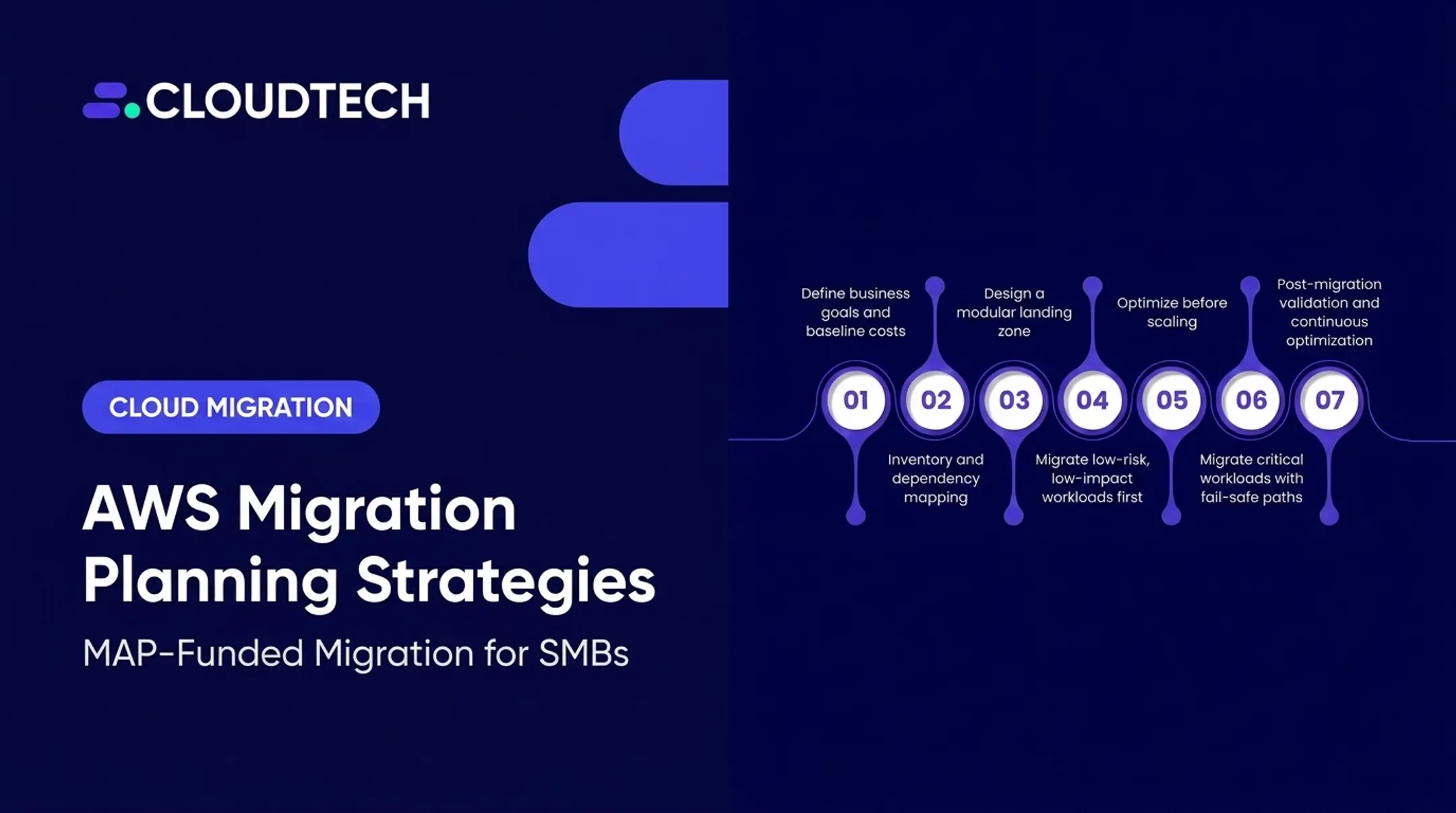
AWS structures large migrations into three phases: Assess, Mobilize, and Migrate and Modernize. Each phase has distinct deliverables, and skipping ahead is where most projects run into trouble.
Assess: Know What You're Moving
This phase builds the inventory: applications, servers, databases, integrations, owners, usage patterns, compliance obligations, and recovery objectives. Dependency mapping happens here too, before any workload gets assigned to a migration wave.
Set measurable goals during this phase, such as:
- Improved resilience or reduced downtime
- Faster release cycles
- Lower infrastructure maintenance overhead
- Better scalability under load
- More predictable monthly cloud spend
Build a cost and performance baseline now. You'll need it to prove the migration actually delivered value later.
Mobilize: Build the Foundation
Mobilize is where the AWS landing zone gets built: account structure, identity and access management, networking, logging, security controls, backups, tagging, cost allocation, and infrastructure as code. Skipping this step to "save time" almost always costs more time later.
This phase also involves:
- Selecting a pilot workload to validate assumptions
- Defining the target architecture
- Documenting rollback criteria
- Confirming stakeholder ownership
- Preparing runbooks and team communications
Migrate and Modernize: Execute in Waves
Staged execution typically includes data replication or transfer, application deployment, integration and performance testing, security validation, user acceptance testing, and a controlled cutover. Running workloads in parallel briefly, before fully switching over, catches problems before they hit production.

After cutover, the work isn't done:
- Right-size resources based on actual usage, not original estimates
- Adopt managed services where it makes sense (RDS instead of self-managed databases, for example)
- Set up observability across infrastructure, applications, and cost
- Test backup and disaster recovery procedures for real
- Decommission unused infrastructure to stop paying for it
- Build a modernization backlog for improvements that didn't fit the initial timeline
AWS customer examples back up this phased approach. Onit, an AWS startup customer, ran a multiphase migration and then modernized on Amazon EKS and Aurora, consolidating six cloud environments into one.
They reported a 30% reduction in total cost of ownership. One company's result is not a guarantee, but it shows how assess-and-mobilize work unlocks modernization gains later.
SMBs without a dedicated cloud team rarely run all three phases in-house. Cloudtech's AWS-certified consultants join at the point of need:
- Initial assessment and inventory
- Landing zone and foundation setup
- Migration wave execution
- Post-migration modernization
The team is largely ex-AWS, which shortens the learning curve on service selection and architecture decisions.
AWS Services and Tools to Consider
Picking tools by job, rather than grabbing a generic list, keeps a migration project organized. Here's how the categories break down.
Assessment and Discovery
- Migration Evaluator builds a financial business case and right-sizing analysis using read-only inventory data.
- AWS Transform handles discovery and migration progress tracking for new projects.
As of November 2025, AWS stopped accepting new customers for Application Discovery Service and Migration Hub. Existing projects keep running; new discovery and tracking work should use AWS Transform.
Migration Execution
- AWS Application Migration Service (MGN) handles server rehosting with continuous block-level replication, minimizing cutover downtime.
- AWS Database Migration Service (DMS) supports homogeneous and heterogeneous database migrations, replicating data while the source stays live.
- AWS DataSync moves files and bulk data to S3, EFS, or FSx.
New Snow Family device orders are no longer available. For large transfers, use DataSync or AWS Data Transfer Terminal.
Modernization Targets
Once workloads land in AWS, modernization options include:
- Amazon RDS or Aurora for managed relational databases
- Amazon ECS or Fargate for containerized workloads
- AWS Lambda for event-driven, serverless components
- Amazon Kinesis for real-time data streaming
- Amazon Redshift for analytics and reporting
The right target depends on workload requirements, not which service is trending. A low-traffic internal tool doesn't need a microservices rewrite.
Tool Selection Checklist
Before committing to a toolset, confirm:
- Source environment compatibility
- Replication method and acceptable downtime window
- Encryption and security requirements
- Automation and monitoring support
- Data volume and transfer speed needs
- Integration with existing systems
- Vendor support and total cost
Always verify current service names, supported source/target pairs, and regional availability before finalizing a plan. AWS updates these details more often than most teams expect.

Challenges, Security, and Best Practices
Most migration failures trace back to a handful of recurring issues:
- Incomplete dependency discovery
- Incompatible legacy frameworks
- Database cutover errors
- Network or identity misconfiguration
- Insufficient testing before go-live
- Internal skills gaps on AWS services
- Unexpected cloud costs after cutover
One Cloudtech case involved a regional medical practice that missed an on-premises directory-service dependency during planning, locking staff out of core systems for hours. A pilot migration using AWS Directory Service at a similar clinic caught the same risk before it caused downtime.
Those failure modes are why security controls and disciplined execution matter as much as the migration path itself.
Security Under the Shared Responsibility Model
AWS secures the infrastructure; your business secures what runs on top of it. That means:
- Least-privilege IAM roles and multi-factor authentication
- Encryption via AWS KMS across S3, RDS, and EBS
- Network segmentation using VPC security groups
- Continuous logging through AWS CloudTrail
- Regular checks with AWS Security Hub and IAM Access Analyzer for public resources or over-permissioned roles
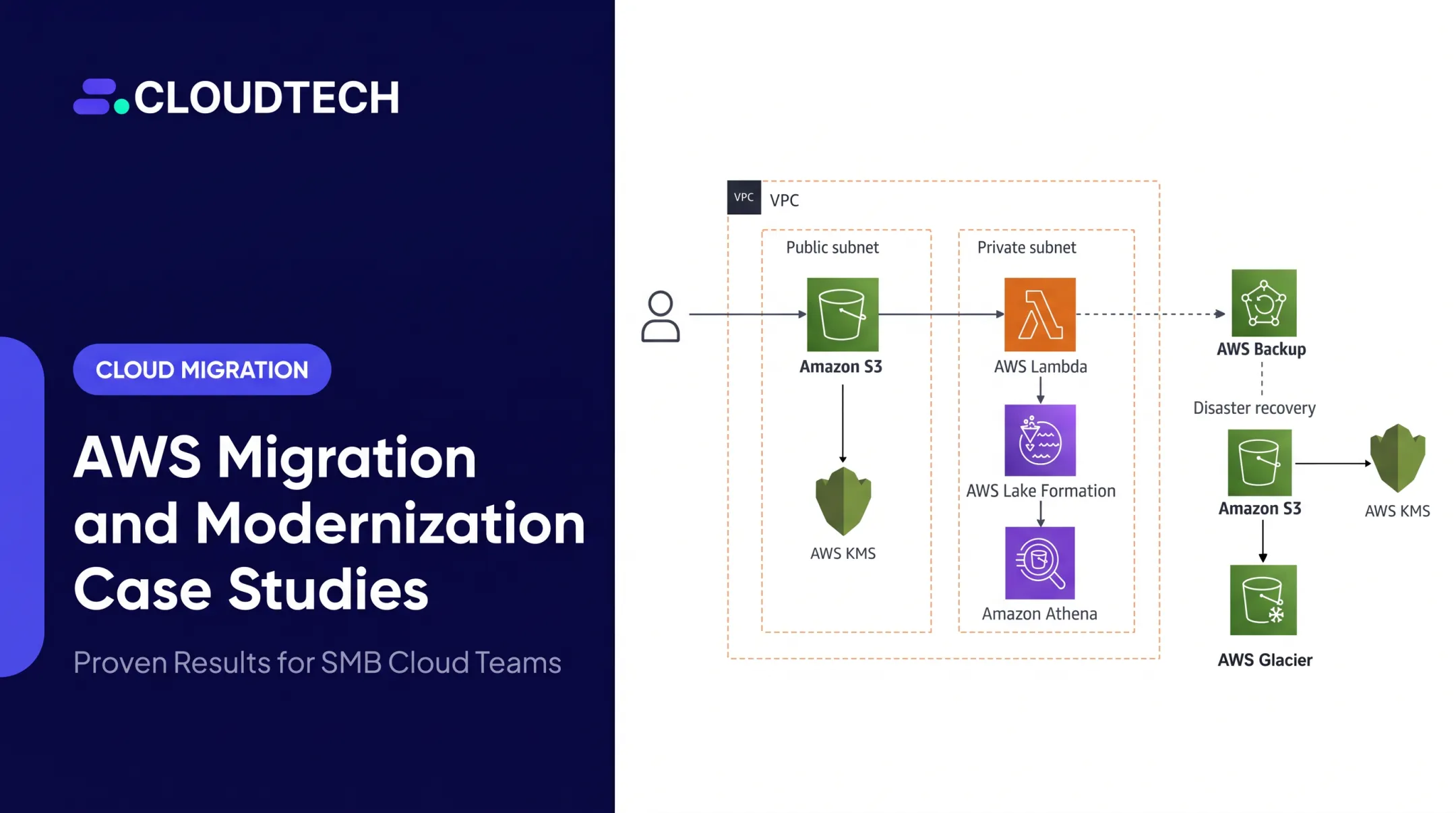
A healthcare provider Cloudtech worked with built automated backups aligned to HIPAA retention requirements and an encrypted S3-based data lake. That foundation helped cut infrastructure costs 77% year-over-year without disrupting clinical operations.
Execution Best Practices
- Run a pilot migration on a low-risk workload before touching anything critical
- Group remaining workloads into waves based on risk and dependency
- Automate infrastructure deployment with tools like AWS CloudFormation
- Document rollback procedures and assign a clear decision-maker for go/no-go calls
- Use blue-green or canary deployment patterns for controlled traffic shifts
- Keep development, test, and production environments strictly separated
Don't Skip Post-Migration Observability
Set up monitoring before cutover, not after something goes wrong. That means dashboards and alarms across infrastructure, applications, databases, user experience, security events, and cost, using tools like Amazon CloudWatch and AWS X-Ray. Treat cutover as complete only when those signals are live, owned, and tested—not when the last server simply responds.

Conclusion
A successful AWS migration is a business initiative. It sticks when strategy, security, and ongoing modernization sit alongside the technical move.
The path that works consistently:
- Understand your current estate
- Pick the right strategy per workload
- Build a secure AWS foundation
- Migrate in controlled waves
- Keep modernizing where the business case justifies it
Skipping steps to save time almost always costs more later, in downtime, security gaps, or an AWS bill nobody budgeted for.
If your team doesn't have the bandwidth to run this process internally, Cloudtech works with US-based SMBs and startups on AWS migration and modernization assessments, backed by an AWS-certified team made up largely of former AWS employees. Reach out to talk through what a realistic roadmap looks like for your environment.
Frequently Asked Questions
What is migration to AWS?
Migration to AWS is the planned movement of applications, data, workloads, and supporting infrastructure into AWS. It can originate from on-premises data centers, private cloud environments, or another public cloud provider.
What is the difference between migration and modernization?
Migration changes where a workload runs. Modernization changes how it's designed, deployed, secured, operated, and scaled, often through managed services or architectural redesign.
Which AWS migration strategy should a business choose?
The right strategy depends on workload criticality, dependencies, technical debt, desired outcomes, compliance requirements, budget, and your team's available cloud skills. Most portfolios use a mix of strategies, not just one.
What are the main phases of an AWS migration?
AWS structures migrations into Assess, Mobilize, and Migrate and Modernize. Assess builds the inventory and business case, Mobilize builds the AWS foundation, and the final phase executes migration waves and post-cutover optimization.
Which AWS tools help with migration planning and execution?
Common tools include Migration Evaluator for discovery and cost assessment, AWS MGN for application migration, AWS DMS for databases, and AWS DataSync for data transfer. For new customers, discovery and migration tracking now run through AWS Transform.
What should happen after migrating workloads to AWS?
After cutover, validate the workloads, stand up monitoring, and tighten security, cost, and disaster recovery. Then decommission unused infrastructure and build a prioritized backlog for future modernization.