This article covers how VMware and AWS combine in a hybrid cloud strategy, and which architecture and connectivity decisions actually move the needle on performance. We'll look at workload placement, network latency, throughput, resilience, security, cost, and the operational complexity that hybrid environments introduce.
By the end, you'll have a framework for evaluating whether a VMware-AWS hybrid approach fits your workloads, and what to check before you commit budget to it.
Key Takeaways
- VMware Cloud on AWS extends familiar workloads onto AWS; architecture design drives performance, not the platform name
- Private connectivity, deliberate workload placement, multi-zone resilience, and active monitoring drive predictable results
- Validate licensing, availability, and data-transfer costs against current VMware/Broadcom and AWS docs before committing
- An assessment-led migration beats moving every workload to the cloud simultaneously
How VMware and AWS Work Together
VMware, AWS, and hybrid cloud get used interchangeably—and that causes confusion. VMware provides virtualization and software-defined data center capabilities. AWS provides public cloud infrastructure and services. A hybrid cloud coordinates the two through shared networking, identity, and operations.
AWS on its own is not a hybrid cloud. It becomes part of a hybrid architecture only when integrated with on-premises or private infrastructure through coordinated networking, identity, data, and workload management. AWS defines hybrid cloud as integrating internal IT resources with third-party cloud provider infrastructure and services.
The Building Blocks You'll Encounter
VMware Cloud on AWS is a managed service that runs dedicated VMware vSphere-based Software-Defined Data Centers (SDDCs) on AWS hardware. Those SDDC hosts reach native AWS services at high speed through a separate customer-owned AWS account linked to a customer VPC, per VMware's technical overview.
Expect to work with:
- vSphere-based workloads running on-premises
- VMware Cloud on AWS SDDCs
- AWS VPCs, connected VPCs, and native AWS services (Amazon S3, Amazon RDS, AWS Lambda)
- On-premises environments, including Active Directory and existing network gateways
Common Workload-Mobility Patterns
Organizations typically use this combination for:
- Migration — move VMs to VMware Cloud on AWS with minimal re-architecture
- Cloud bursting — absorb demand spikes without over-provisioning on-prem hardware
- Disaster recovery — extend failover targets into AWS
- Data center extension — add capacity without new physical infrastructure
- Modernization — run legacy VMware workloads next to AWS-native services (Lambda, Redshift)

Cloudtech's architecture work often follows this pattern for healthcare clients. Klamath Health Partnership, for example, runs a VPC-based design with subnets and endpoints to Amazon S3.
On-premises components, including Active Directory, connect through a Site-to-Site VPN—shared networking, identity, and operations across both environments.
When VMware-AWS Hybrid Cloud Makes Sense
Hybrid deployment is worth the complexity only under specific conditions. It doesn't fit every SMB, and it shouldn't be the default choice. Consider hybrid when you need to:
- Preserve low-latency access to on-premises systems that can't move yet
- Handle temporary or seasonal demand spikes without permanent hardware
- Meet data-location or regulatory requirements tied to a physical facility
- Extend disaster recovery beyond a single data center
- Modernize applications incrementally instead of all at once
A Workload-Placement Framework
Not every workload belongs in the same place. A useful way to sort them:
| Workload Type | Typical Placement Bias |
|---|---|
| Stable, low-change legacy apps | On-premises or lift-and-shift to VMware Cloud on AWS |
| Bursty, seasonal workloads | AWS, with burst capacity from cloud |
| Latency-sensitive applications | Keep near data source; test before moving |
| Regulated data | Depends on region and compliance framework |
| Dev/test environments | Strong candidates for early cloud migration |
| Analytics and cloud-native components | AWS-native services (Redshift, Glue, S3) |
Industry Differences Matter
Healthcare and life sciences organizations weigh compliance and data continuity heavily. AWS states that VMware Cloud on AWS gives healthcare customers scalable options to migrate and extend on-premises environments. The general AWS HIPAA compliance page does not specifically certify VMware Cloud on AWS as HIPAA-eligible on its own. Verify eligibility for your exact setup before you commit. Priorities shift by industry:
- Financial services: Transaction latency and audit trails
- Manufacturing: Continuity between plant-floor systems and cloud analytics
- Retail and logistics: Traffic patterns during peak seasons
A Quick Decision Checklist
Before picking a deployment location, walk through:
- What are the application's dependencies, and are they mapped?
- Where does the data actually live, and how much of it moves?
- What are your recovery time and recovery point objectives?
- Which direction does traffic flow most heavily?
- Do you have a performance baseline to compare against?
- Does your team have the skills to run a hybrid environment?
- How much growth do you expect in the next 12-24 months? One caution: vendor case studies are directional evidence, not proof for your environment. A 2019 VMware-commissioned Forrester study of a regional bank reported savings and fewer vulnerabilities after migration, yet Forrester made no ROI claims for other organizations. Use published benchmarks to shape questions, then validate placement against your own baselines, dependencies, and recovery targets.

Performance Benefits and Architecture Design
Performance depends on the complete path: users, on-premises systems, VMware workloads, AWS VPCs, databases, storage, and AWS-native services. Compute location alone tells you almost nothing.
Choosing Your Connectivity
AWS Direct Connect offers more consistent private connectivity than internet-based access, using dedicated Ethernet ports. Site-to-Site VPN makes sense for lower-scale, encrypted, or temporary connections, or as a backup path when Direct Connect goes down. For simple setups, a private Virtual Interface (VIF) connects to a Virtual Gateway using BGP routing. That path supports vMotion between on-premises and the SDDC. For more scale, transit VIFs paired with a Direct Connect Gateway, AWS Transit Gateway, or VMware Transit Connect handle routing between on-premises networks, multiple SDDCs, and native VPCs. Current AWS documentation caps most dedicated connections at 50 VIFs, so verify limits against your growth plans.
Placement Affects More Than Latency
Same-region, same-Availability-Zone placement isn't just a latency decision; it affects data transfer charges too. Cross-AZ traffic typically runs about $0.01 to $0.02 per GB each direction, which adds up fast at scale. Keep frequently-communicating workloads (application tier and database tier, for instance) in the same AZ where practical.
Resilience Patterns Worth Testing
Redundancy sounds good on paper. It only works if you've tested it. Common patterns include:
- Redundant connections across multiple Direct Connect locations
- Diverse network paths to avoid single points of failure
- Multi-AZ planning with route failover
- Scheduled disaster recovery drills, not just documentation Don't assume any of these deliver resilience until you've run a failover test and watched what actually happens.
Measuring What Matters
A performance measurement framework should track:
- Application response time and error rates
- Network round-trip latency, throughput, and packet loss
- Storage I/O plus CPU and memory utilization
- Database wait time and cost per workload For a real-world reference point, a 2019 VMware vMotion test completed on-premises-to-cloud migration in 415 seconds at 500–900 Mbps throughput. That run used a one-host SDDC on shared 10 GbE Direct Connect links at roughly 40ms round-trip latency. Results depend on link quality and workload size, but the numbers are still useful for planning. A simple, workable architecture looks like this: on-premises VMware connects privately (via Direct Connect, backed by VPN) to VMware Cloud on AWS, with AWS-native services sitting in a properly designed VPC, and security inspection applied at the points where traffic crosses environments.

How to Plan and Implement a VMware-AWS Hybrid Cloud
Skipping discovery is the single most common mistake we see in hybrid projects. Here's a structure that avoids that trap.
Start With Discovery
Before touching architecture, inventory:
- Virtual machines and their dependencies
- Traffic flows and storage behavior
- Identity requirements and compliance constraints
- Peak demand patterns and recovery objectives
- Current performance bottlenecks
AWS Application Discovery Service and Systems Manager Inventory are built for exactly this: mapping application relationships and traffic flows before you commit to a design.
Build the Target Architecture
Document the target design on paper before you build:
- Account structure, regions, and Availability Zones
- VPC and subnet layout with CIDR planning
- DNS, routing, and firewalling
- Identity, encryption, logging, and monitoring
Skipping this step on paper means discovering the gaps in production.
Pick Connectivity Based on Requirements
Compare Direct Connect, VPN, and transit architectures against your actual workload requirements — not against what sounds impressive. Budget, encryption needs, and whether you need a backup path all factor in.
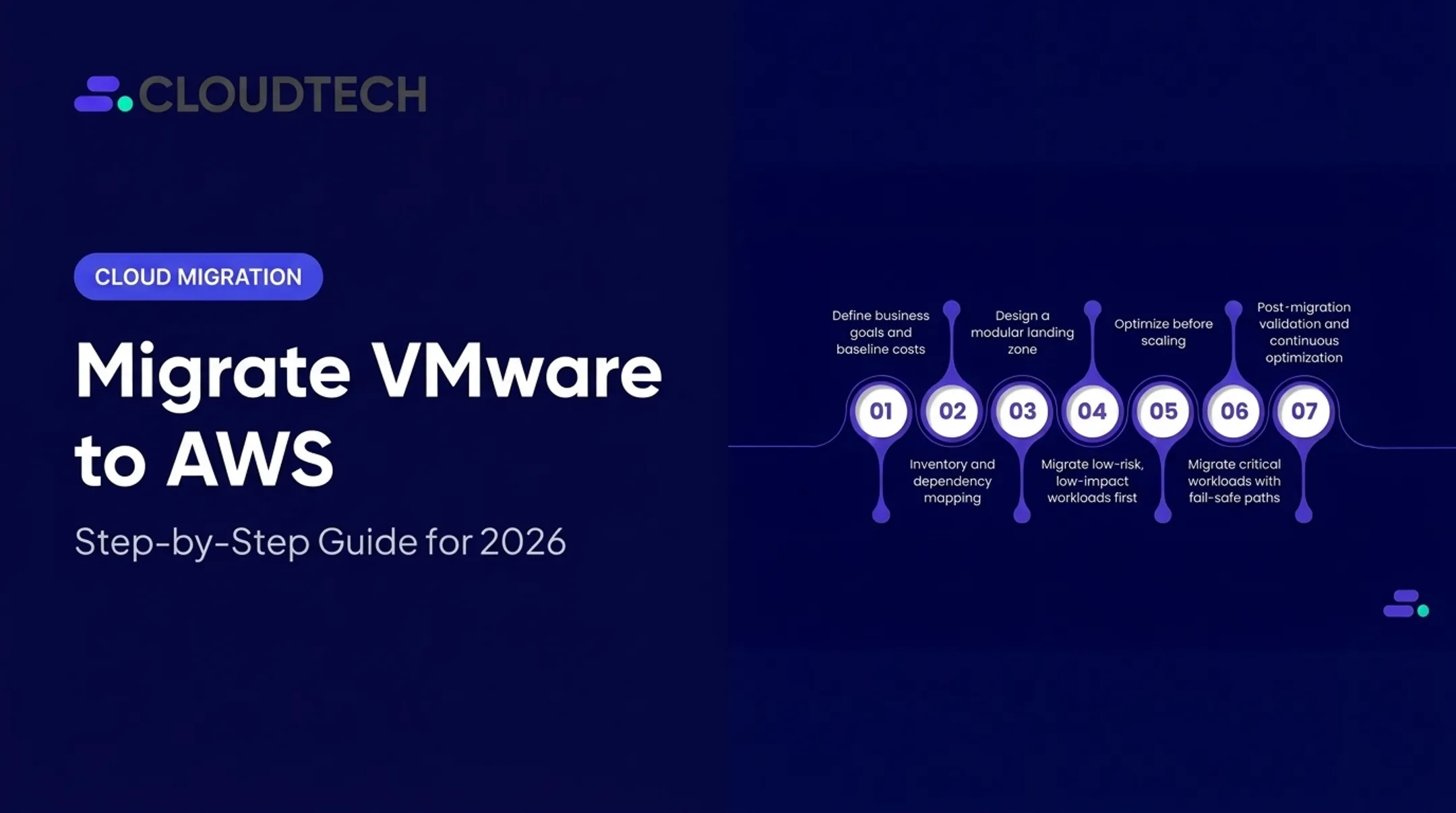
Migrate in Phases
- Assess and group workloads by risk and business value
- Establish connectivity before moving anything
- Pilot low-risk applications — dev/test environments are a natural first wave
- Test dependencies and failover in staging
- Migrate in controlled waves, with checkpoints
- Keep rollback procedures ready at every stage
Cloudtech's migration track follows a four-step structure: Analyze, Build, Optimize, and Support. The Build phase delivers best-fit AWS infrastructure recommendations mapped to your existing VMware environment.
Define Operational Ownership
Hybrid environments create ownership gaps if nobody addresses them upfront. Assign clear owners before go-live—not after—for:
- VMware operations and AWS infrastructure
- Networking and security
- Backup and patching
- Incident response and cost governance
Keep Optimizing
Optimization should continue well after migration wraps:
- Right-sizing and data-transfer review
- Route and firewall analysis
- Monitoring dashboards and periodic architecture reviews
Performance testing after any change, not just at launch, catches regressions early.
Risks, Trade-Offs, and Governance
Hybrid architecture still carries real complexity. Here's what to weigh before you commit.
Cost and Licensing Trade-Offs
VMware operates on subscription-based commitments now — Broadcom requires subscriptions purchased before SDDC deployment, with on-demand host purchases no longer available. Ancillary AWS network and usage charges bill separately, in arrears. In Cloudtech engagements, VMware licensing and operations have driven total cost of ownership 2x to 6x higher for some organizations, often from rigid bundling with little room to customize.
Build a cost model that includes:
- VMware/Broadcom subscription costs
- AWS consumption and native service usage
- Networking and data-transfer charges
- Private connectivity expenses (Direct Connect or VPN)
- Staffing and operational overhead
Use the AWS Pricing Calculator alongside current Broadcom pricing documentation — treat them as separate inputs, since the calculator doesn't price VMware subscriptions.
Performance Risks to Watch
- Cross-region traffic adding unnecessary latency
- Cross-AZ dependencies driving up data-transfer costs
- Inefficient routing between on-premises and cloud
- Insufficient bandwidth for peak workloads
- Shared services placed too far from the workloads using them
- Untested failover paths that fail when you need them

Governance Essentials
Treat these controls as the minimum bar for any hybrid setup:
- Encryption in transit and at rest
- Least-privilege access
- Network segmentation
- Centralized logging
- Documented change control
AWS Config, AWS Control Tower, and AWS Audit Manager help produce audit-ready evidence for HIPAA, SOC 2, and similar frameworks.
Portability and Exit Planning
Governance also means knowing what you can leave behind. Some components stay portable: VMs built on standard vSphere tooling generally migrate cleanly. Others create real dependencies, especially once you build around VMware Transit Connect or specific AWS-native integrations.
Document your exit and backup plan before you need it.
How Cloudtech Can Help
Cloudtech works with US-based SMBs and startups that need practical AWS guidance without an enterprise consulting price tag. We focus on AWS migration, modernization, and architecture for growing companies. We are not the right fit for Fortune 500 environments or ongoing IT help-desk support.
Our engagement path for hybrid and migration projects typically includes:
- Discovery and performance baseline — mapping current workloads and dependencies
- Architecture review — evaluating hybrid design against your actual requirements
- Connectivity and security design — matching Direct Connect, VPN, or transit options to your workloads
- Migration planning and pilot execution — starting with low-risk workloads
- Post-migration optimization — right-sizing, cost governance, and ongoing monitoring
We're an AWS Advanced Tier Partner with AWS-Certified Solutions Architects on staff, and roughly 70% of our team has prior AWS experience.
Through our partnership with ReluTech, VMware-to-AWS migration clients have seen maintenance savings of up to 80% during the migration period via AWS Marketplace programs. On qualifying projects, we pursue AWS Migration Acceleration Program (MAP) funding to reduce out-of-pocket migration costs.
If you're weighing whether a VMware-AWS hybrid architecture fits your performance requirements and modernization roadmap, reach out to Cloudtech for a free migration readiness assessment. We'll tell you honestly whether hybrid is the right call for your workloads, or whether a different path makes more sense.
Frequently Asked Questions
Is AWS a hybrid cloud?
No. AWS is a public cloud platform. It becomes part of a hybrid cloud when connected to on-premises or private infrastructure through integrated networking, identity, and operations.
What are the key differences between AWS and VMware?
AWS is a broad public cloud services platform; VMware is a virtualization and private-cloud technology stack. They're often combined in a hybrid architecture rather than treated as competitors.
How does VMware Cloud on AWS improve performance?
It gives workloads access to AWS infrastructure, native services, and private connectivity options with scalable capacity. Actual performance gains depend on your specific architecture and require testing; they're not automatic.
What networking option is best for connecting VMware to AWS?
AWS Direct Connect generally offers more consistent latency and throughput than VPN. VPN works well for backup connectivity, lower scale, or encrypted temporary links. The right choice depends on your latency, budget, and resilience needs.
What are the main challenges of a VMware AWS hybrid cloud?
Network complexity, licensing and cost management, application dependencies, and security across two environments top the list. Skills gaps and unvalidated platform limits are common surprises too. Check current documentation before committing.